
Shared vs. Dedicated Internet Connections: What the Distinction Means for Home Users
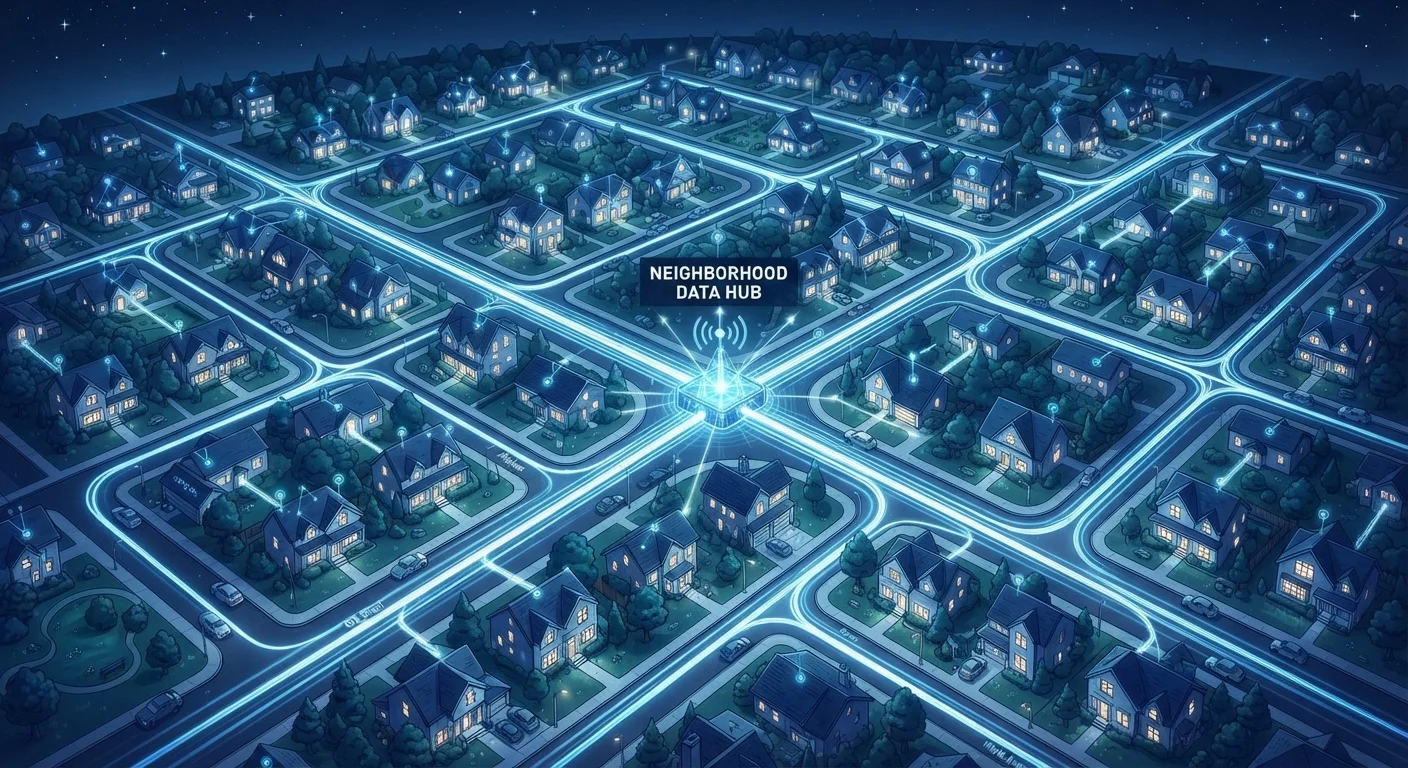
Photo credit: ArticlesHaven.net
In this article
Most residential internet is shared infrastructure. Understanding what that means helps set realistic expectations for peak-hour speeds.
Key Takeaways
- Most home internet plans use shared infrastructure, meaning neighbors affect your peak-hour speeds.
- Dedicated connections are almost exclusively offered to businesses and typically cost significantly more.
- Cable internet is the most common shared-network technology in US households.
- Fiber-to-the-home can be either shared or dedicated depending on how a provider configures its network.
- Understanding this distinction helps explain why advertised speeds rarely match real-world performance.
- Peak hours - typically evenings - are when shared congestion is most noticeable.
What "Shared" Actually Means on a Residential Network
When an internet provider wires up a neighborhood, they don't run a private line from the central office directly to every single house. That would be enormously expensive. Instead, a segment of total capacity - think of it as a wide pipe - serves a cluster of homes. Every subscriber on that segment draws from the same pool of bandwidth.
Cable is the clearest example. A coaxial cable node typically serves anywhere from a few dozen to a few hundred households. When those households are all online simultaneously - streaming, gaming, video calling - they compete for the same throughput. The practical result is that your connection speed at 9 p.m. on a weeknight can be noticeably lower than at 7 a.m. on a Saturday.
This isn't a flaw or a bait-and-switch. It's how shared networks are engineered to keep costs manageable. Providers design for average usage, not for every subscriber running at full speed simultaneously. Understanding this explains a lot about why advertised speeds rarely match everyday performance.
~88%
US home internet connections on shared infrastructure
Cable and DSL together account for the large majority of residential subscriptions, both of which use shared network architectures (FCC Broadband Deployment Reports).
20-40%
Typical peak-hour speed reduction on cable
Independent network testing organizations have documented consistent throughput drops during evening hours on shared cable nodes compared to off-peak measurements.
Up to 32
Homes sharing one GPON fiber strand
Standard GPON passive optical network architecture splits a single fiber strand among as many as 32 subscriber endpoints simultaneously.
Dedicated Connections: The Business-Grade Alternative
A dedicated internet connection gives one subscriber exclusive use of a provisioned bandwidth channel. No sharing, no congestion from neighbors - the speed you pay for is consistently available around the clock. Latency also tends to be more stable, which matters for real-time applications.
The catch is cost. Dedicated lines - typically delivered as fiber or point-to-point wireless - are priced for businesses where downtime and inconsistency have measurable financial consequences. A small business might pay several hundred dollars per month for a 100 Mbps dedicated connection, whereas a residential shared plan might offer 500 Mbps for a fraction of that price.
For households, this trade-off rarely makes financial sense. The occasional slow evening isn't worth a 10x price premium unless your home doubles as a production environment. If upload speed consistency is the concern, a symmetrical fiber plan often addresses the problem at residential pricing.
“Consumers often assume the speed they're sold is the speed they'll get. The reality is that residential internet is designed around statistical multiplexing - the assumption that not everyone is online at maximum demand simultaneously.”
— A network engineering researcher specializing in broadband infrastructure, Broadband policy and network architecture researcher
How Connection Type Relates to Sharing
Not all shared networks experience congestion equally. The technology underneath matters.
- Cable (DOCSIS): Inherently shared at the node level. Modern DOCSIS 3.1 and 3.0 have significantly expanded capacity, but dense urban nodes can still get congested. Providers periodically split nodes to reduce subscriber counts per segment.
- DSL: Shared in the backhaul, though the local loop from the DSLAM to your home is typically dedicated copper. Congestion usually shows up further upstream in the network.
- Fiber-to-the-home: Can be either. GPON architecture splits an optical signal among multiple users (usually up to 32). XGS-PON and point-to-point fiber offer more dedicated capacity. Fiber and cable differ significantly in how congestion is managed.
- Fixed wireless: Shares radio spectrum across a tower's coverage area. Congestion behavior resembles cable but depends heavily on subscriber density and spectrum allocation.
For a deeper look at how these technologies compare on reliability and availability, see the guide on matching connection types to your household's needs.
Test Your Speed at Different Times
Run a speed test early in the morning and again on a weekday evening. A significant drop in the evening strongly suggests shared-network congestion rather than a problem with your equipment or plan. Tools from the FCC and independent testing platforms let you log results over time.
Practical Implications When Choosing a Plan
Knowing that your connection is shared reframes several common questions about plan selection.
Advertised speeds are a ceiling, not a guarantee. Providers typically advertise the maximum speed available under ideal (uncongested) conditions. During peak hours on a crowded node, actual throughput may be a fraction of that figure. Checking a provider's published network management practices gives some insight into how aggressively they manage congestion.
Higher tiers don't always fix congestion. If the bottleneck is a congested node rather than your individual plan limit, upgrading from 200 Mbps to 500 Mbps on the same network segment may not deliver a meaningful real-world improvement during busy hours. Understanding what speed tiers actually deliver helps you spend wisely.
Provider choice matters as much as plan tier. A well-maintained fiber network with lower subscriber density per node may outperform a cable provider's "faster" advertised tier. Reading independent speed data - not just provider claims - gives a clearer picture of real-world consistency in your area.
"Shared" Doesn't Mean Unsecured
A common misconception is that sharing network infrastructure exposes your data to neighbors. It doesn't. Shared bandwidth refers to capacity allocation, not data routing. Individual traffic is addressed, encrypted, and separated - neighbors cannot see your browsing activity simply because you share a node.
Frequently Asked Questions

Author
Articles Haven Editorial Contributor
Articles Haven Editorial Team is the collective byline for our editorial team and contributor network. Articles published under this byline or an editorial pen name are researched, written, and reviewed according to our editorial standards for clarity, consistency, and independence before publication.
View all articles →