
Shopping Apps vs. Desktop Shopping: Where Prices and Perks Differ
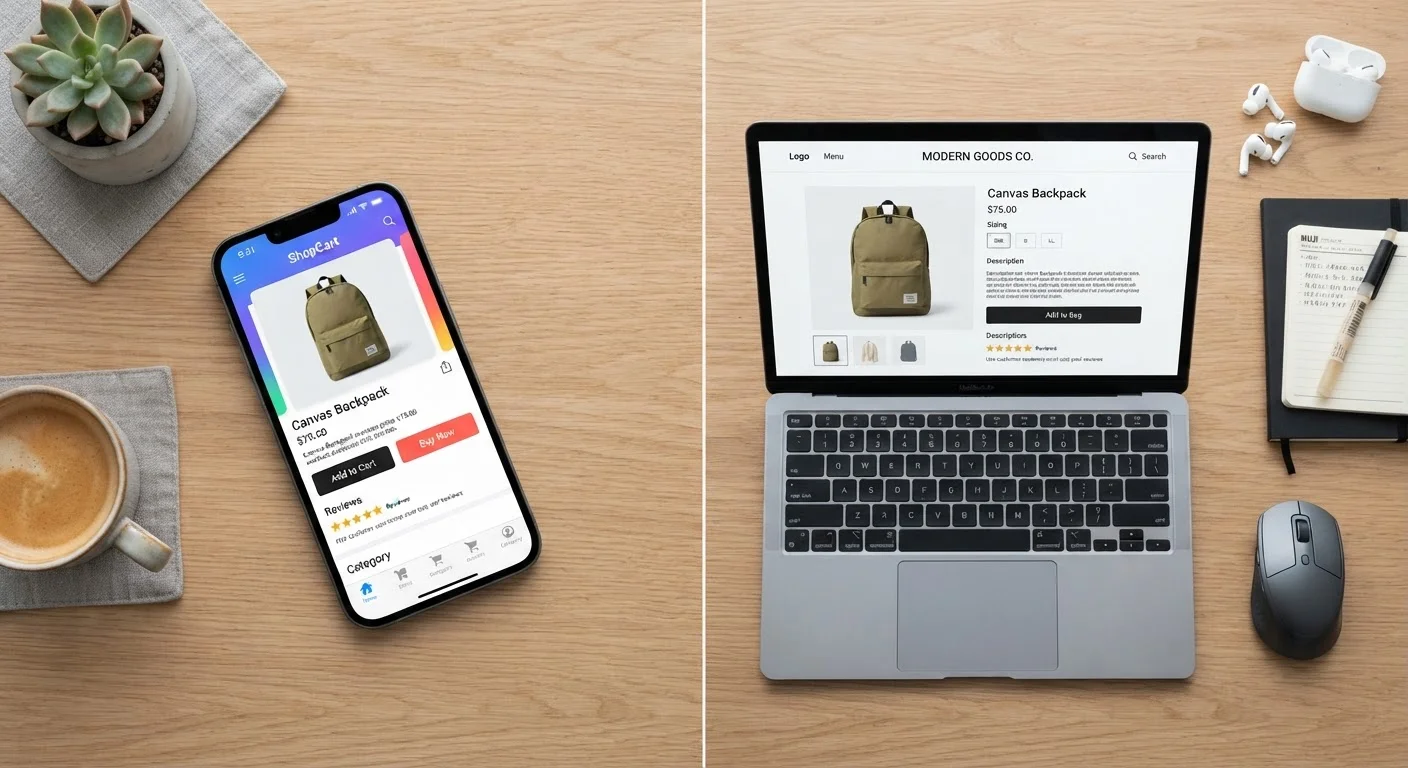
Photo credit: ArticlesHaven.net
In this article
Some retailers price differently or offer exclusive deals on mobile apps. Here's how the two channels compare for savings.
Key Takeaways
- Some retailers offer app-exclusive discounts, coupons, or loyalty perks not available on desktop.
- Desktop shopping can be better for detailed product research and side-by-side price comparison.
- Neither channel is universally cheaper - the gap depends on the retailer and category.
- Push notifications and app-only flash sales can reward mobile shoppers who monitor deals actively.
- Using both channels strategically often yields the best overall value.
Why the Same Retailer Can Show Different Prices on Different Devices
If you've ever added an item to your cart on a desktop browser and then noticed a lower price when you opened the retailer's app, you weren't imagining things. Many major retailers deliberately segment their promotions by channel - offering app-exclusive discount codes, mobile-only sale events, or slightly different base prices to incentivize customers to download and use their apps.
The logic is straightforward from a retailer's perspective: a customer with their app installed is more likely to browse frequently, receive push notifications, and complete purchases impulsively. To earn that install, retailers use pricing as a lever. That doesn't mean the app is always cheaper - the advantage shifts depending on the category, the time of year, and how aggressively a particular retailer pursues mobile engagement.
Understanding how these channel differences work puts you in a better position to decide where to shop for a given purchase. For context on how timing can also shift prices dramatically, see when seasonal timing affects prices.
| Shopping Apps | Desktop Shopping | |
|---|---|---|
| App-exclusive discounts | Common - many retailers offer them | Not available |
| Flash sale notifications | Push notifications deliver real-time alerts | Requires manual site check |
| Loyalty program integration | Seamless - scanning, points, rewards in one place | Functional but often less integrated |
| Product research experience | Limited by screen size | Multi-tab browsing, detailed specs easy to review |
| Coupon code & cashback stacking | Restricted - browser extensions don't apply | Strong - extensions and cashback portals work here |
| Checkout ease | Convenient for repeat buyers with saved info | Easier data entry and order review on full keyboard |
| Price transparency | May differ from desktop - worth comparing | Often baseline pricing; check against app |
Where Shopping Apps Have a Clear Advantage
The clearest win for apps is app-exclusive promotions. Retailers across categories - fashion, electronics, home goods, and grocery - regularly push discount codes or percentage-off deals that are only redeemable through their mobile app. These aren't always advertised prominently, so shoppers who don't have the app installed simply miss them.
Push notifications are another underrated advantage. Flash sales, price drops on wish-listed items, and limited-time offers are frequently surfaced through notifications before they appear on a desktop homepage. For someone actively watching a specific item, this can mean the difference between catching a genuine low price or missing it entirely.
Apps also tend to integrate more tightly with loyalty and rewards programs. Scanning a membership barcode, redeeming earned points, or stacking a rewards discount with a sale price is typically more seamless in-app than through a browser. If you participate in a retailer's loyalty program, using the app often extracts more value from that membership. For a broader look at how loyalty programs compare to cashback tools, check out cashback apps vs. store loyalty programs.
Check the App Before You Check Out
Before completing any online purchase on desktop, open the retailer's mobile app and navigate to the same item. Look for an app-only banner, a mobile coupon section, or a promo code field pre-populated for app users. Even a few minutes of cross-checking can surface a discount that doesn't appear anywhere in the desktop experience.
Where Desktop Shopping Holds Its Ground
Desktop browsers remain the better environment for research-heavy purchases. Multiple tabs, larger product images, detailed spec sheets, and the ability to quickly open comparison sites alongside the retailer's own page all favor a bigger screen. When you're evaluating a major appliance, a piece of furniture, or a laptop, the desktop workflow is simply more efficient.
Desktop also wins for coupon code stacking. Browser extensions that automatically surface and test promo codes - along with cashback portals that activate through the browser - often don't have equivalent functionality in a retailer's own app. You can run a cashback extension, apply a coupon code, and use a store credit card all in the same checkout flow on desktop; that layered approach is harder to replicate on mobile.
Finally, some shoppers find desktop checkout less prone to errors. Entering shipping addresses, billing details, and gift card numbers is simply faster and less error-prone on a full keyboard, and reviewing an order summary before confirming is easier on a larger screen.
For a structured process you can use before any significant purchase, a practical comparison-shopping routine walks through the steps methodically.
~60%
Share of US e-commerce traffic from mobile devices
Mobile has accounted for roughly 60% of US online shopping traffic in recent years, according to data cited by industry analytics firms, though the share of completed purchases on desktop remains proportionally higher.
10-15%
Typical app-exclusive discount range
App-only coupons at major apparel and home goods retailers frequently fall in the 10-15% off range, though amounts vary widely by retailer and promotional period.
How to Use Both Channels Together
The most practical approach for budget-focused shoppers isn't to pick one channel - it's to use each for what it does best. A simple workflow: research and price-compare on desktop, then check whether the retailer's app is offering a mobile-specific discount before you finalize the purchase. If the app has a better price or an applicable coupon, switch over to complete the transaction there.
It's also worth checking whether a retailer's price-match policy covers its own channels. Some retailers will match a lower price found on their own app if you're shopping on desktop, and vice versa - though this varies. How price matching works and what the fine print says is worth reviewing before you assume it applies.
For purchases where the channel difference is unclear, the broader question of online vs. in-store shopping trade-offs can help you think through which environment actually serves that category best. And for all-around shopping strategy guidance, the Shopping Smarter hub covers frameworks for confident, well-informed decisions.
App Prices Aren't Always Lower - Verify Before Assuming
Not every retailer prices differently across channels, and some use app-only framing as a marketing tactic rather than a genuine discount. Always verify the final price - including shipping - before switching platforms. A nominally lower app price that adds shipping costs you'd avoid on desktop may not be the better deal overall.

Author
Articles Haven Editorial Contributor
Articles Haven Editorial Team is the collective byline for our editorial team and contributor network. Articles published under this byline or an editorial pen name are researched, written, and reviewed according to our editorial standards for clarity, consistency, and independence before publication.
View all articles →