
Verified vs. Expired Coupons: Why Code Sites Often Get It Wrong
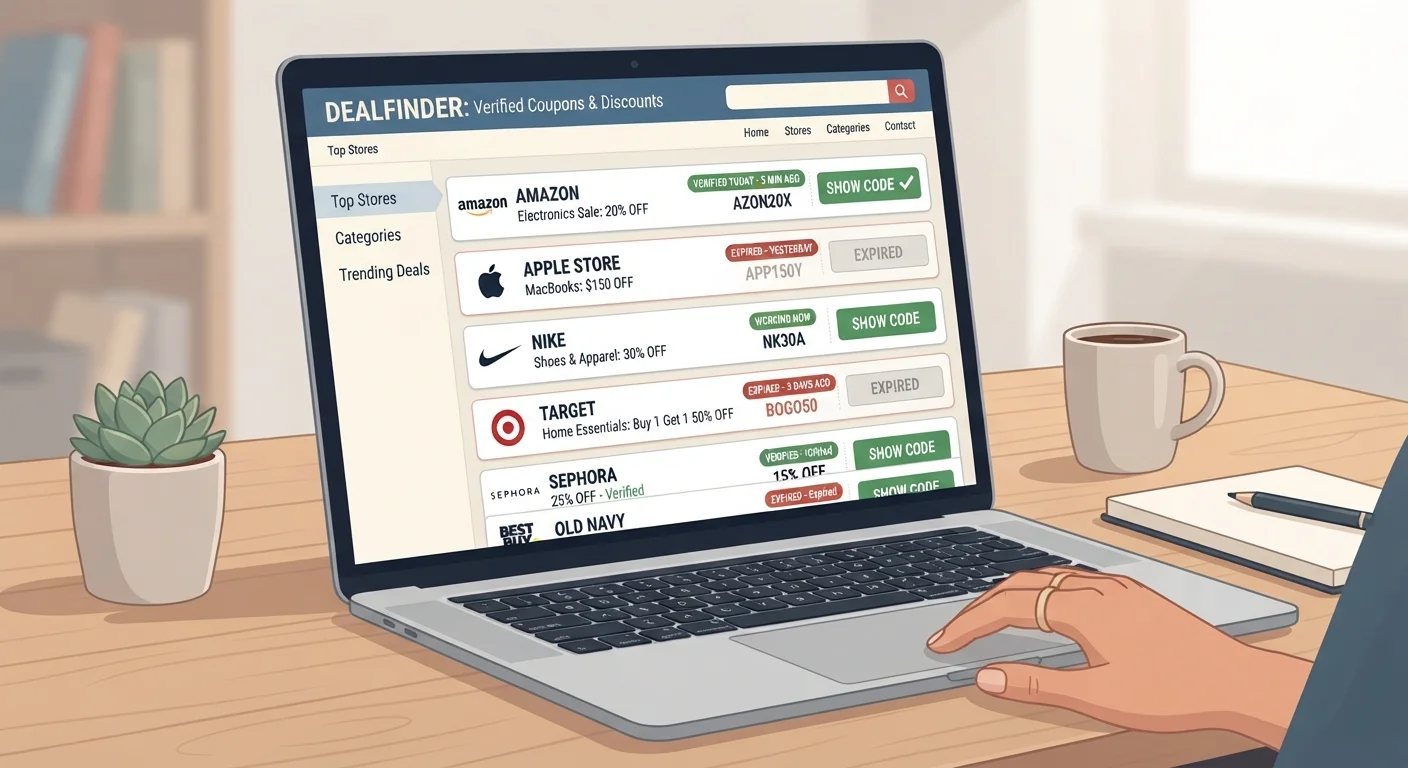
Photo credit: ArticlesHaven.net
In this article
Coupon aggregator sites frequently show outdated codes. Here's why that happens and how to find offers that are more likely to work.
Key Takeaways
- Coupon aggregator sites earn revenue when you click through, creating weak incentive to remove dead codes promptly.
- A 'verified' badge on a code site often reflects when a code was last tested, not whether it works right now.
- Retailer-owned email lists and loyalty programs typically offer the most reliably active codes.
- Browser extension tools test codes automatically at checkout but may not catch geo-restricted or single-use codes.
- Trying multiple sources and verifying directly at checkout is still the most reliable strategy.
How Coupon Aggregator Sites Actually Work
Coupon aggregator sites collect discount codes from three main pipelines: user submissions, automated web scrapers, and affiliate marketing feeds. When a retailer launches a promotion, those codes circulate quickly across forums, social media, and affiliate networks - and aggregators scoop them up.
The business model matters here. Most of these sites earn money through affiliate commissions: when you click a link to a retailer and make a purchase, the coupon site gets a cut. That commission is paid on the click-through and conversion, not on whether your code actually worked. This structure means there's no direct financial penalty for leaving a dead code listed.
For a broader picture of how different savings tools fit together, see the savings landscape overview.
~50%
Average coupon code failure rate on aggregator sites
Industry observers and user experience reports consistently indicate roughly half of codes found on third-party coupon sites fail at checkout, though exact figures vary by site and category.
Millions
Codes indexed by major aggregator platforms
Large coupon aggregators maintain databases of millions of codes sourced from submissions and affiliate feeds, making real-time verification of every listing impractical.
24-72 hrs
Typical window before flash codes deactivate
Short-window promotional codes from retailers - especially for seasonal events - often expire within one to three days, well before aggregator sites remove them.
What 'Verified' Usually Means - and What It Doesn't
A green checkmark or 'verified' badge sounds reassuring, but it's worth knowing what it actually signals. In most cases, it means the code was tested at some point and returned a successful discount. What it rarely tells you is when that test happened.
Retailers deactivate codes for several reasons: the promotional window closed, a set redemption limit was reached, the code was geo-restricted and a test from another location masked that, or the promotion was simply pulled early. None of these scenarios are visible to an aggregator site after the fact.
Geo-Restricted Codes Complicate Verification
Some retailers issue discount codes that only work in specific regions or for specific account types. When aggregator sites test codes using automated systems, those systems may be located in a region where the code is valid - even if it won't work for you. This is one reason a 'verified' label can still produce a failed result at your checkout.
Some sites do publish a 'last tested' date alongside the badge - that's more useful than a static verified label. Even then, a code confirmed working 48 hours ago may no longer function if the promotion was short-lived.
More Reliable Places to Find Working Codes
The closer a code is to its source, the more likely it is to work. Retailer-controlled channels - email newsletters, SMS alerts, and loyalty program apps - distribute codes that the retailer is actively managing. When these expire, the retailer has already moved on; there's no stale listing left behind.
A few practical approaches worth considering:
- Retailer email lists: Sign up directly with stores you shop regularly. Welcome codes and loyalty rewards are typically fresh.
- Browser extensions: These tools auto-test codes at checkout, saving trial-and-error time. Learn how these extensions actually work before deciding whether the trade-offs fit your needs.
- The retailer's own site: Banner promotions and cart-page discount prompts are live, not cached.
Check the 'Last Tested' Date, Not Just the Badge
Before entering any code from an aggregator site, look for a timestamp showing when it was last verified. A code tested within the past 24 hours is far more likely to work than one with a badge but no date. If no date is shown, treat the code as unverified regardless of the label.
If you do use aggregator sites, prioritize codes with a recent 'last tested' timestamp and a meaningful number of user success reports. Volume of recent successes is a better signal than a bare 'verified' badge.
The Bigger Picture: Managing Coupon Noise
Chasing discount codes can cost more time than the savings justify - especially when most codes fail at checkout. Setting a personal rule, such as only trying codes from two sources before proceeding, keeps the process efficient.
It's also worth recognizing that the sheer volume of discount offers can distort your sense of value. Deal fatigue is a real phenomenon, and coupon clutter contributes to it. Focusing on a narrower set of reliable sources - rather than mass-testing every code you find - tends to produce better results with less frustration.
For shoppers interested in combining discount types, coupon stacking rules vary by retailer, so it's worth understanding which combinations are permitted before building a checkout strategy around them.
Frequently Asked Questions

Author
Articles Haven Editorial Contributor
Articles Haven Editorial Team is the collective byline for our editorial team and contributor network. Articles published under this byline or an editorial pen name are researched, written, and reviewed according to our editorial standards for clarity, consistency, and independence before publication.
View all articles →