
How ISPs Advertise Speeds: Understanding "Up To" Language in Internet Plans
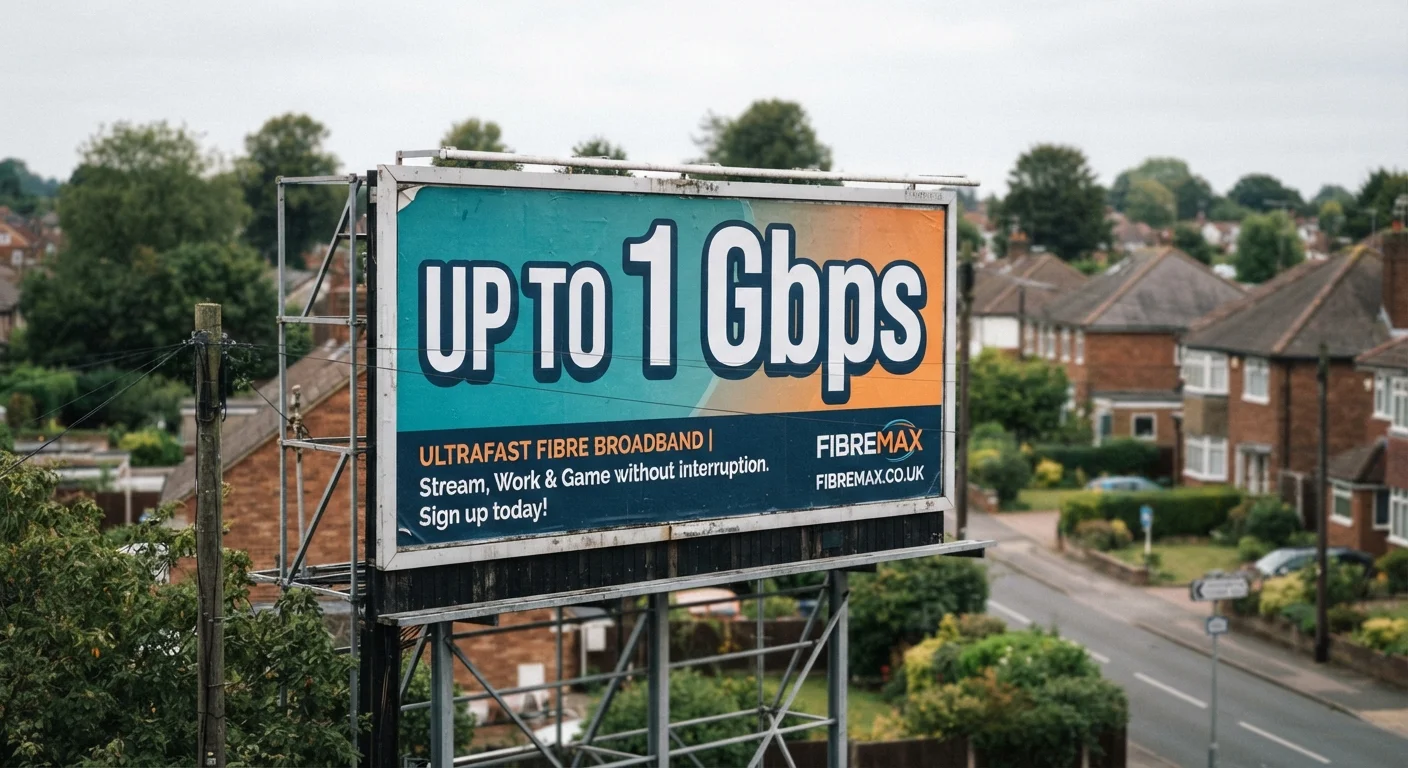
Photo credit: ArticlesHaven.net
In this article
"Up to 1 Gbps" doesn't mean you'll always get 1 Gbps. Here's what that qualifier really means and how it's regulated by the FCC.
Key Takeaways
- "Up to" speeds represent a maximum, not a guaranteed minimum you will consistently receive.
- Peak-hour congestion is one of the biggest reasons actual speeds fall below advertised figures.
- The FCC now requires ISPs to display standardized Broadband Facts labels disclosing typical speeds.
- Your modem, router, and home wiring all influence how close to the advertised speed you'll get.
- Running a speed test at different times of day gives you a more realistic picture of your connection.
What "Up To" Actually Means in an Internet Ad
That phrase "up to" is doing a lot of heavy lifting in every internet plan advertisement. It signals a ceiling, not a floor. The number beside it - whether 100 Mbps or 1 Gbps - is what the connection could theoretically deliver under perfect conditions: no network congestion, a modern modem and router plugged in directly, and only one device active.
Real households almost never match those conditions. Speeds fluctuate hour by hour depending on how many of your neighbors are streaming at the same time, what devices are connected in your home, and how old your equipment is. Providers are not deceiving you outright - the language is technically accurate - but it creates an expectation gap that catches many consumers off guard.
Understanding what drives that gap is the first step toward picking a plan that actually meets your needs. For a broader look at how speed numbers translate into everyday tasks like video calls or 4K streaming, see Data Speeds Demystified.
~25%
Average gap between advertised and actual speeds
FCC Measuring Broadband America reports have historically found that actual measured speeds often fall 10-25% below the advertised maximum during peak usage hours across multiple provider types.
7-10 PM
Peak congestion window for home broadband
Industry and FCC data consistently identify evening hours as the period when residential broadband networks experience the highest load and the most notable speed reductions.
April 2024
FCC Broadband Facts label effective date (large ISPs)
The FCC's standardized broadband label rule became mandatory for large internet service providers in April 2024, requiring disclosure of typical speeds, latency, and all fees.
Why Speeds Vary: The Key Factors
Several variables sit between you and the speed on the advertisement:
- Network congestion: On cable networks, bandwidth is shared among subscribers in your area. Evening hours - roughly 7-10 PM - consistently produce the lowest speeds because usage peaks.
- Connection type: Fiber-to-the-home tends to deliver speeds closest to the advertised maximum, while DSL speeds often drop significantly with distance from the provider's central equipment.
- Your hardware: An older modem or a router placed in a closed cabinet can easily cut your usable speed in half. Wi-Fi signals weaken through walls and across distance.
- Plan tier: Providers divide offerings into speed tiers with names like Basic, Standard, or Gig. Understanding what each tier realistically delivers is covered in detail in our Internet Speed Tiers Explained guide.
Run a Speed Test Before Upgrading Your Plan
Before paying for a higher-tier plan, run speed tests at several points throughout the day - including weekend evenings. If your current plan is regularly delivering close to its advertised speed, upgrading may genuinely help. If it's consistently underperforming, the issue may be with equipment or local network congestion rather than the plan tier itself.
How the FCC Is Addressing the Transparency Gap
Regulators have moved to close the information gap between advertised and actual performance. The FCC's Broadband Facts label requirement - modeled on nutrition labels - took effect in April 2024 for large providers and is being rolled out to smaller ISPs on a phased schedule.
These labels must display typical download and upload speeds (not just maximum speeds), latency figures, any data caps, and all recurring monthly charges. The goal is to let you compare plans on a standardized basis rather than trying to decode marketing copy.
“Consumers deserve clear, accurate information about the services they're buying. Nutrition labels transformed how Americans evaluate food - broadband labels can do the same for internet service.”
— Jessica Rosenworcel, Former FCC Chairwoman, in public remarks on the Broadband Facts label initiative
Even with better labels, the disclosed "typical" speed is still an average across many customers and times of day - not a personal guarantee. For a deeper look at the difference between what's advertised and what you can expect at home, see Internet Plan Speed vs. Real-World Performance.
Broadband Labels Don't Cover Every Scenario
Broadband Facts labels reflect averages across a provider's subscriber base and are not a prediction of what you personally will experience at your address. Infrastructure quality varies block by block, particularly in older cable and DSL networks. Always ask your provider for typical speeds at your specific address if possible.
How to Use This Knowledge When Choosing a Plan
Armed with an understanding of "up to" language, you can approach plan selection more practically:
- Read the Broadband Facts label before signing up. Typical speeds and latency figures are more useful than the headline number.
- Test your current speeds at multiple times of day to see how your existing connection performs. This gives you a baseline for comparison.
- Match speed to actual household use. A household with two remote workers and several streaming devices has very different needs from a single user who mostly browses. See Home Internet Plans Decoded for a practical breakdown.
- Factor in your hardware. If you upgrade to a higher speed tier without also updating an old router, you may not see much improvement.
If your plan is bundled with TV or phone service, keep in mind that bundle packages often lock you into a single speed tier. Understanding how that tier fits your actual usage patterns is worth examining before you commit - our guide on Internet Speed Tiers Within Bundles covers that trade-off directly.
Frequently Asked Questions

Author
Articles Haven Editorial Contributor
Articles Haven Editorial Team is the collective byline for our editorial team and contributor network. Articles published under this byline or an editorial pen name are researched, written, and reviewed according to our editorial standards for clarity, consistency, and independence before publication.
View all articles →