
Equipment Fees Inside Bundles: Modems, Routers, and Set-Top Boxes
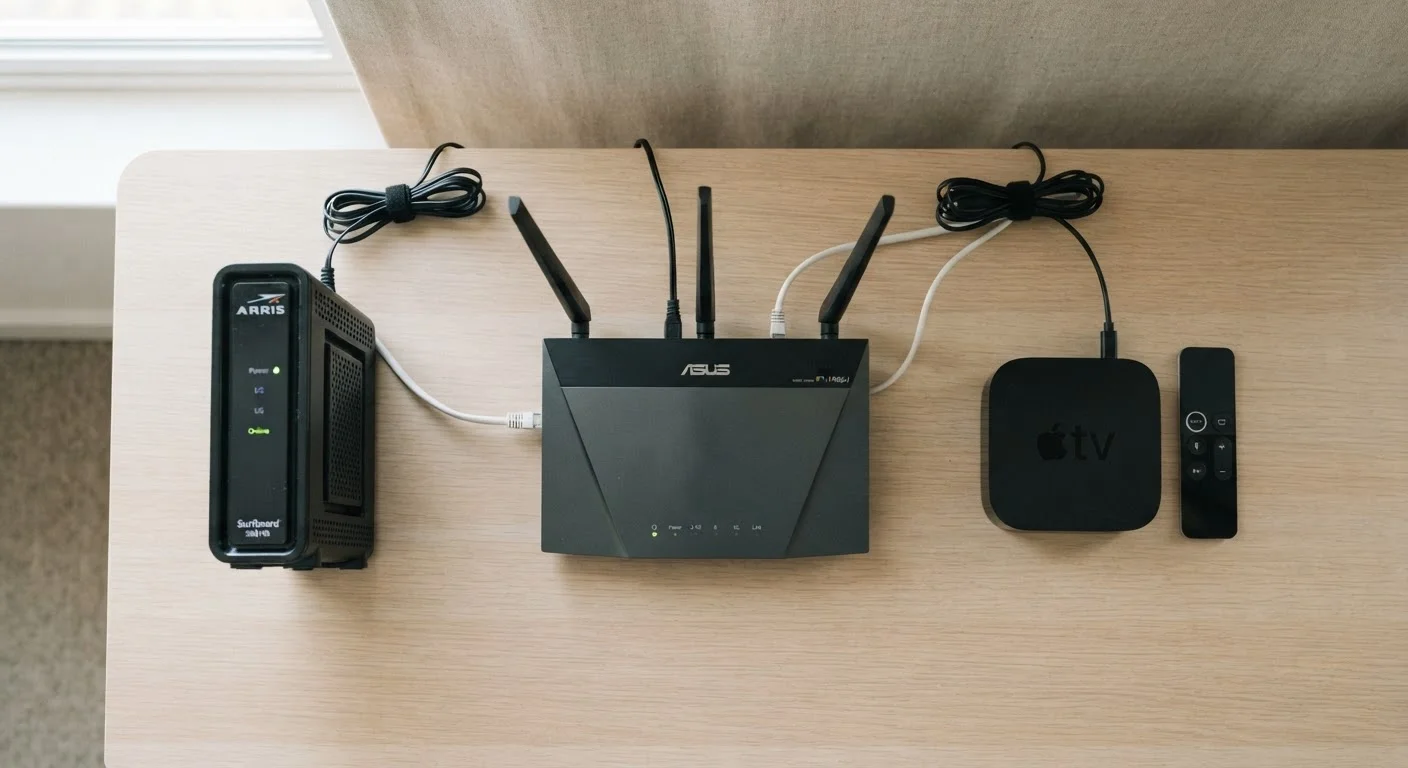
Photo credit: ArticlesHaven.net
In this article
Leased equipment adds monthly costs to most bundles. Understand what equipment charges cover and when owning your own gear makes sense.
Key Takeaways
- Leased equipment adds recurring monthly costs that the advertised bundle rate rarely includes.
- Set-top box fees can stack - each TV in your home typically requires its own box and fee.
- Buying a compatible modem or router outright often breaks even within one to two years.
- Some providers allow you to use your own equipment; others require their hardware for bundled services.
- Always read your bill's line items separately - equipment charges are negotiable or avoidable in some cases.
Why Equipment Fees Show Up on Bundle Bills
When a provider advertises a bundle rate for internet, TV, and phone service, that headline number is almost always the service cost alone. The hardware required to actually deliver those services - a modem, a router or gateway, set-top boxes - gets charged separately, typically as a monthly lease fee.
This structure exists because providers own and maintain the equipment. If a modem fails, they replace it. If firmware needs updating, they push it remotely. In exchange for that convenience, you pay a recurring rental charge with no end date and no ownership transferred to you.
The practical effect is that your real monthly outlay is higher than what you may have agreed to. As explained in our breakdown of true bundle costs, equipment rental is one of several line items that routinely push bills past the advertised rate. Understanding each charge individually is the first step toward managing them.
Equipment Fees Are Separate From Service Promotions
Introductory pricing on a bundle typically applies only to the service rate - not equipment rentals. When a promotional rate expires, your service cost rises, but equipment fees were likely never discounted in the first place. This means your post-promotion bill increase may be larger than the promotion terms suggest, because you're already paying full price for equipment throughout.
Modems, Routers, and Gateways: What You're Actually Paying For
Providers lease these devices under different names, but the hardware generally falls into three categories:
- Modem: Translates the signal from your provider's network (cable, DSL, or fiber) into a format your home devices can use. Without it, no internet service reaches your home at all.
- Router: Creates the Wi-Fi network inside your home and manages traffic between devices. Sometimes rented separately, sometimes bundled with the modem.
- Gateway: A single device combining modem and router functions. Providers often push these because they simplify support calls, but the rental fee reflects both components.
For a full picture of what each line on your internet bill represents, see everything that goes into a home internet bill.
$10-$15/mo
Typical monthly modem or gateway rental fee
Common range reported across major US cable and broadband providers; actual fees vary by provider and plan tier.
$5-$20/mo
Per set-top box monthly rental charge
Secondary boxes are sometimes cheaper than the primary receiver, but fees per box are charged independently.
12-24 months
Typical break-even window for buying your own modem
Based on comparing purchase price of a compatible modem to accumulated monthly rental fees at common provider rates.
Set-Top Boxes: The Fee That Multiplies by Room
Cable and satellite TV bundles typically require a set-top box for each television that receives live or on-demand programming. Unlike a single modem serving the whole home, set-top box fees scale with how many TVs you have active.
A household with three TVs could easily face three separate box rental charges per month. Some providers charge a lower rate for secondary boxes compared to the primary, but the cumulative total adds up quickly - and these fees don't disappear after a promotional period ends.
One way to reduce set-top box costs is to check whether your provider offers a streaming app compatible with smart TVs or streaming sticks. Where available, this can eliminate the need for a physical box on some screens. That said, app availability, functionality, and DVR access often differ from the full box experience, so it's worth testing before canceling hardware rentals.
Check Your Provider's App Before Renting a Box
Before accepting a physical set-top box for every TV, ask your provider whether a streaming app is available for smart TVs, Roku, Fire TV, or Apple TV. Many major providers offer apps that deliver live TV, DVR access, and on-demand content without hardware rental fees. Functionality can differ from the full box experience, so verify DVR and channel access before returning any equipment.
When Owning Your Own Equipment Makes Financial Sense
Leasing is convenient, but it's rarely the economical choice over time. If you pay $12 per month for a modem rental, you've spent $144 in one year and $288 over two - with nothing to show for it. A compatible modem purchased outright can be found in a similar price range, meaning the break-even point often arrives within the first year or two of ownership.
The calculus shifts depending on a few factors. Fiber providers frequently require their own Optical Network Terminal (ONT) hardware, which customers typically cannot replace. Cable and DSL internet plans, on the other hand, more commonly allow customer-owned modems. For a deeper look at the math involved, renting vs. owning your modem and router walks through the long-term numbers.
Renters evaluating equipment decisions also face unique wrinkles - including building infrastructure constraints and shorter time horizons that affect when buying hardware makes sense. Bundling services as a renter covers those considerations specifically.
How to Audit Your Bundle's Equipment Charges
The most direct way to understand what you're paying is to pull up your itemized bill and identify every equipment line separately from service charges. Look for labels like "modem rental," "Wi-Fi gateway fee," "DVR service," or "receiver fee" - providers use varying terminology.
Once you have those totals, ask your provider two questions: which devices on your account can be replaced with customer-owned equipment, and whether any fee waivers or credits apply to your plan. Promotional offers occasionally include equipment fee credits that weren't clearly flagged at signup.
For households evaluating whether their current bundle is structured well at all, our guide to when bundling saves money offers a useful framework for reassessing the whole package - not just the equipment piece.
“Consumers often focus on the monthly service rate when comparing plans, but equipment fees are one of the most consistent sources of bill shock - they're recurring, they compound across multiple devices, and they rarely receive the same scrutiny as the headline price.”
— Consumer Reports, Consumer advocacy and product testing organization
Frequently Asked Questions

Author
Articles Haven Editorial Contributor
Articles Haven Editorial Team is the collective byline for our editorial team and contributor network. Articles published under this byline or an editorial pen name are researched, written, and reviewed according to our editorial standards for clarity, consistency, and independence before publication.
View all articles →