
Paper Clutter vs. Digital Records: Managing Home Documents Without the Chaos
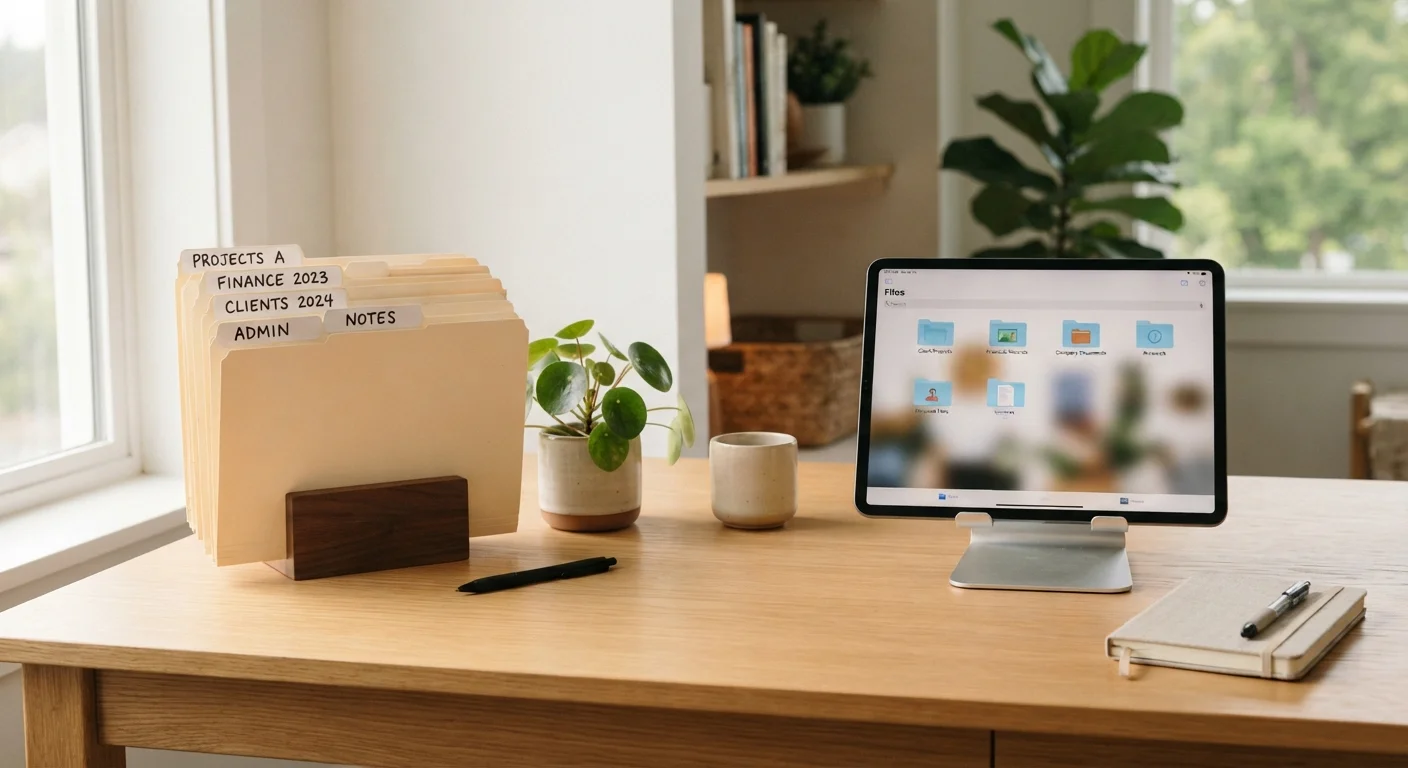
Photo credit: ArticlesHaven.net
In this article
Weigh the trade-offs between keeping physical files and going fully digital for household paperwork, warranties, and receipts.
Key Takeaways
- Paper filing is reliable without tech, but physical documents can be lost, damaged, or hard to search.
- Digital records save space and allow instant search, but depend on consistent backups and device access.
- Certain documents - like original wills or property deeds - may still need physical originals regardless of your system.
- A hybrid approach works well for most households: digitize routine paperwork, keep critical originals safe.
- Security matters in both systems - locked cabinets for paper, strong passwords and encryption for digital files.
The Core Problem: Why Home Document Management Goes Wrong
Most households don't choose a document system - they accumulate one. Receipts land in kitchen drawers, insurance cards drift into glove compartments, and warranty booklets pile up in a cabinet that no one opens until something breaks. The result is friction at exactly the wrong moment: when you need to file a claim, prove a purchase, or find an emergency contact.
The real question isn't "paper or digital?" - it's which approach you'll actually maintain. A perfect digital filing system that you abandon after two weeks is worse than a messy accordion folder you use consistently. That's the lens worth applying to everything that follows.
For a broader look at what household information is worth centralizing, see our guide to centralizing household information. And if disorganization has spread beyond documents into other household routines, comparing digital chore tools with paper charts is a useful parallel read.
Paper Filing: Strengths and Real Limits
Physical files have genuine advantages that often get dismissed too quickly. Documents are immediately accessible without a device, a password, or an internet connection. There's no file format to become obsolete, no subscription to lapse, and no account to get locked out of. For many people, the act of physically handling and organizing papers also makes the system feel more concrete and trustworthy.
The limits are just as real, though. Paper can't be searched - finding one receipt in a box of 200 takes time. Documents degrade, get misfiled, or disappear in a move. Fire and flooding can wipe out years of records in minutes. And physical storage takes up space that most homes don't have in abundance.
Paper Systems Require Consistent Filing Habits
A paper-based system only functions if new documents are filed promptly and categories stay consistent. Many households start with good intentions but let papers pile up between filing sessions. If that pattern sounds familiar, building a brief weekly "file it" routine into your schedule can make the difference between a working system and a recurring backlog.
The organizational overhead is also easy to underestimate. A paper system only works if documents get filed promptly. Letting papers stack on a counter for "later" is how most paper systems collapse into chaos - which is exactly the problem the junk drawer effect describes in detail.
Digital Records: What You Gain and What Can Go Wrong
A well-maintained digital system solves the three biggest paper problems: space, searchability, and disaster recovery. Scanned documents stored in organized cloud folders take up no physical space, can be retrieved from any device, and survive a house fire. Keyword search alone can make a digitized archive dramatically faster to navigate than any paper filing cabinet.
The risks are less dramatic but still real. Digital files depend on consistent backups - a folder that only exists on one laptop is arguably more fragile than a paper file. Cloud services can change pricing, shut down, or get hacked. Scanned images can be low quality if the process is rushed. And certain documents - original wills, property deeds, naturalization certificates - may require physical originals regardless of what digital copy you have.
~60%
US households with no formal document backup
Surveys by home organization researchers suggest a majority of households have no off-site or cloud backup for important home documents, leaving them vulnerable to loss from fire or flood.
3-5 min
Average time to locate a misfiled paper document
Organizational studies suggest that finding a misfiled document in a physical system takes several minutes on average - time that compounds across dozens of retrieval attempts per year.
2+ years
Recommended retention for most household receipts
Consumer guidance from financial advisers generally suggests keeping receipts for major purchases and home improvements for at least two years, and tax-related documents for several years longer.
Security deserves specific attention. Password-protecting sensitive document folders and using two-factor authentication on cloud accounts are baseline steps, not optional extras. For households that document possessions for insurance purposes, a digital home inventory stored off-site is particularly valuable - see good practices for documenting belongings for insurance for practical guidance on what to capture and store.
Head-to-Head: How the Two Systems Compare
The table below lays out the key practical differences between a paper-based and a digital-based home filing system across the criteria that matter most for everyday households.
| Criterion | Paper Filing | Digital Records |
|---|---|---|
| Setup effort | Low - folders and labels | Moderate - scanning, naming, organizing |
| Search speed | Slow - manual browsing | Fast - keyword search |
| Space required | Physical storage needed | Minimal - cloud or device |
| Disaster resilience | Vulnerable to fire and flood | Strong with cloud backup |
| Tech dependency | None | Requires devices and internet |
| Security risks | Theft, loss, physical damage | Hacking, account lockout |
| Sharing with others | Requires physical handoff | Easy - shared folder access |
| Legal originals | Fully supported | May still need physical copies |
One consideration that doesn't fit neatly in a table: household composition matters. Multi-person households benefit more from digital systems because files can be shared and accessed by multiple people without physically handing anything over. Single-person households may find a simple paper system entirely sufficient.
Building a Hybrid System That Actually Holds Up
For most households, neither extreme is the right call. A practical hybrid approach treats paper and digital as complementary rather than competing. The general logic: digitize anything routine or time-sensitive (receipts, warranties, utility bills, service records), and keep physical originals for anything legally significant (deeds, birth certificates, wills, medical directives).
A consistent capture habit matters more than the perfect folder structure. Scanning a receipt immediately after a purchase - even with a basic smartphone app - beats the most elaborate filing system if you'll never use it. Physical originals of critical documents belong in a fireproof safe or a bank safety deposit box, not in a kitchen cabinet.
If broader household organization is a recurring challenge, persistent disorganization sometimes reflects more than just a filing problem - when household disorder signals something more than clutter explores when it may be worth looking at the bigger picture.
This article is for general informational purposes only. Document retention requirements can vary by document type and jurisdiction; consult a qualified legal or financial professional for guidance specific to your situation.

Author
Articles Haven Editorial Contributor
Articles Haven Editorial Team is the collective byline for our editorial team and contributor network. Articles published under this byline or an editorial pen name are researched, written, and reviewed according to our editorial standards for clarity, consistency, and independence before publication.
View all articles →