
Centralizing Your Household Information: What to Store and Where
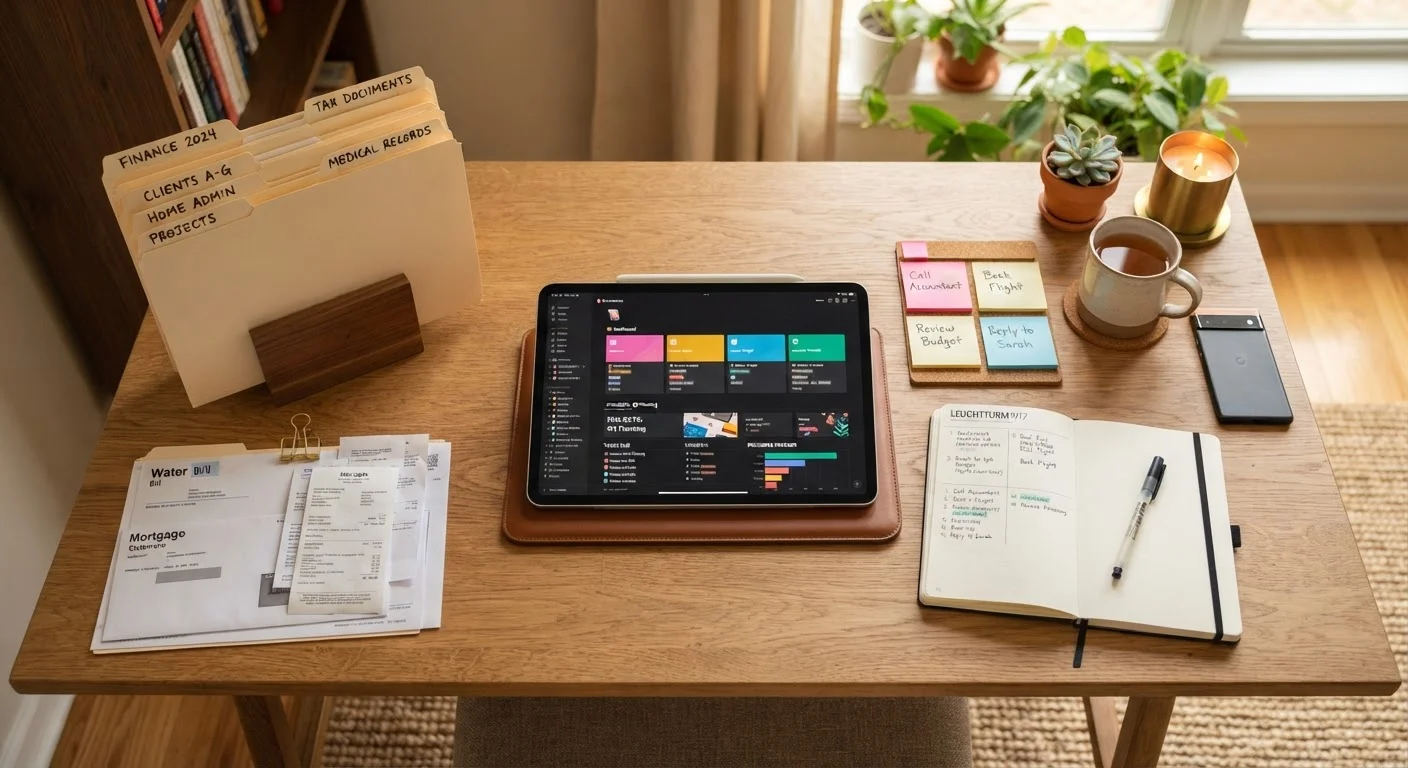
Photo credit: ArticlesHaven.net
In this article
Warranties, utility contacts, emergency numbers, and service records — learn what household information to centralize and how.
Key Takeaways
- Centralizing household information reduces scrambling during emergencies, repairs, and insurance claims.
- Both digital and physical storage methods have trade-offs; a hybrid approach often works best.
- Warranties, utility contacts, service records, and emergency numbers are the highest-priority categories to capture first.
- A consistent naming or folder structure is what separates a useful system from a digital junk drawer.
- Review and prune your household hub at least once a year to keep it current and reliable.
Why Household Information Gets Lost - and Why That's a Problem
Most households aren't disorganized by choice. Documents pile up, get filed in the wrong drawer, or exist only as email attachments nobody can locate under pressure. When a pipe bursts at midnight or an appliance fails mid-warranty, the cost of that disorganization becomes concrete - in time, money, and frustration.
A centralized household information hub doesn't require a complex system. It requires a deliberate decision about what to store, where to store it, and a structure clear enough that someone else in your household could find anything in under two minutes. That last point matters: your system should work for every adult in the home, not just the person who built it.
What you will need
Below are the tools and materials that make setup faster and more durable.
Cloud storage service (e.g., Google Drive, iCloud, OneDrive)
Stores scanned or photographed documents accessibly from any device.
Document scanner app or flatbed scanner
Converts paper documents, receipts, and warranty cards into searchable digital files.
Password manager
Securely stores account credentials for utility providers, home warranty services, and HOA portals.
Physical binder with labeled dividers
Provides an offline backup and quick reference for the most critical documents.
Spreadsheet application
Tracks contact numbers, warranty expiration dates, and service history in a scannable format.
How to Build Your Household Information Hub
Work through the steps below in order. The first two are planning steps - resist the urge to skip them. A system that doesn't match how your household actually stores and retrieves information tends to get abandoned within a few weeks.
Keep Sensitive Documents Secure
Documents like insurance policy numbers, home warranty contracts, and account credentials carry real financial and legal weight. Store these behind a password or in a locked physical location - not in an unprotected shared folder or an easily accessible email inbox. If you use a cloud storage service, enable two-factor authentication.
Decide on your storage format before gathering anything
Before you collect a single document, decide whether you'll go primarily digital, primarily physical, or hybrid. Each has real trade-offs. Digital storage is searchable and accessible from anywhere, but requires a device and internet connection. Physical binders are reliable during outages but harder to share and easier to lose in a move or disaster.
For most households, a hybrid approach makes sense: maintain a physical binder for the most critical documents (insurance policies, emergency contacts, deed or lease) and use a cloud folder for everything else. See a detailed comparison of paper vs. digital record-keeping to weigh your options before committing.
Identify the five core information categories
Not everything needs to be centralized equally. Start with these five categories, which cover the situations most likely to require fast, accurate information:
- Emergency contacts: Local utility emergency lines, your insurance agent's direct number, a trusted plumber or electrician, and poison control.
- Utility account information: Account numbers, billing portal URLs, and auto-pay confirmation numbers for electricity, gas, water, internet, and trash pickup.
- Insurance policies: Policy numbers, coverage summaries, claim-filing contact details, and renewal dates for home, auto, and any supplemental coverage.
- Warranties and appliance records: Purchase dates, model numbers, warranty durations, and service contact numbers for major appliances and systems.
- Service and repair history: Dates, contractors, work performed, and costs for any repair or maintenance completed on the property.
Gather and scan or photograph existing documents
Do a single focused sweep through your home - kitchen junk drawer, filing cabinet, email inbox, past text threads with contractors - and pull every document that belongs in one of your five categories. Don't stop to organize during this pass; just collect.
Scan or photograph paper documents using your phone's camera or a dedicated scanner app. Aim for clear, flat images with good lighting. Save files with descriptive names like HVAC_Warranty_ExpiresJun2026.pdf rather than scan001.jpg.
Build a contact and account summary sheet
A single-page (or single-tab spreadsheet) contact summary is the most-used part of any household hub. It should list every provider or service your household relies on, with account number, primary phone number, website, and any notes about payment method or billing cycle.
Include: electric, gas, water, internet, cable or streaming, HOA, pest control, lawn care, and any recurring service contracts. This sheet alone eliminates most of the digging that happens during outages, billing disputes, or moves. If you're setting up a household system for the first time, this starting framework for new homeowners covers what to collect at move-in.
Link your service history to your maintenance log
Your centralized hub and your maintenance log are most powerful when they reference each other. For each major appliance or system, note the last service date and next recommended service in your contact summary or a dedicated log tab. This makes it easy to spot an HVAC that hasn't been serviced in three years or a water heater approaching the end of its warranty window.
For a practical structure on tracking repairs and service dates over time, see how to set up and sustain a home maintenance log.
Add a home inventory layer for insurance purposes
Once your core categories are in place, consider extending your hub to include a basic home inventory: photos, serial numbers, and approximate values of significant possessions. This information is separate from your operational documents but belongs in the same secure location.
A documented inventory can meaningfully support an insurance claim in the event of theft, fire, or water damage. Learn what to document, what format to use, and where to store it for insurance purposes. You can also review how to build a home inventory from scratch if this is new territory.
Start With What You Already Have
Rather than waiting until you have a perfect system, gather whatever documents are already in hand - utility bills, appliance manuals, insurance cards - and add them first. A partially built hub you actually use beats a perfectly planned one you never start. You can fill gaps over the following weeks as documents surface naturally.
Don't Rely on a Single Storage Method
A phone that dies during a power outage or a water-damaged filing cabinet can leave you without critical information at the worst moment. Maintaining at least one redundant copy - physical if your primary is digital, or cloud-synced if your primary is local - substantially reduces this risk.
Once your hub is built, keep it from drifting back into chaos by treating it as a living document. Every new appliance purchase, contractor invoice, or policy renewal is an opportunity to add a line - not a separate pile.

Author
Articles Haven Editorial Contributor
Articles Haven Editorial Team is the collective byline for our editorial team and contributor network. Articles published under this byline or an editorial pen name are researched, written, and reviewed according to our editorial standards for clarity, consistency, and independence before publication.
View all articles →