
Laptop vs. Tablet: Choosing the Right Device for How You Actually Work
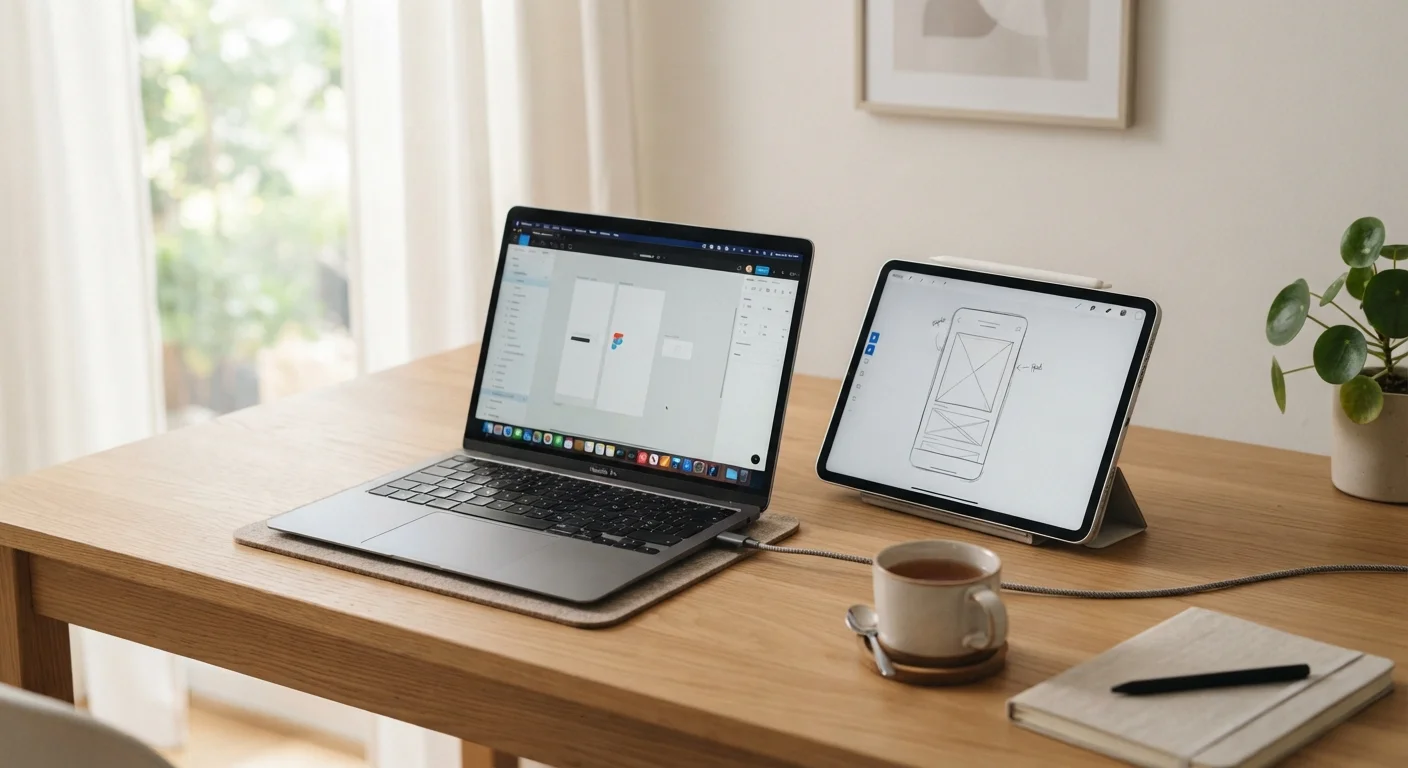
Photo credit: ArticlesHaven.net
In this article
Tablets have caught up on performance, but laptops still lead in versatility. See which fits your workflow, budget, and habits.
Key Takeaways
- Laptops still hold a clear advantage for multitasking, file management, and running full desktop software.
- Tablets have closed the performance gap significantly but often require accessories to match laptop functionality.
- Your workflow - not specs - should drive the decision between the two device types.
- Keyboards, ports, and operating system compatibility are practical factors that often tip the balance.
- Budget matters: entry-level laptops frequently offer more capability per dollar than mid-tier tablets with accessories.
What You're Actually Comparing
The laptop-versus-tablet debate has sharpened considerably as tablet hardware has improved. A few years ago, the choice was obvious for anyone doing real work. Today, the lines are blurrier - but not gone. Understanding what each device is genuinely designed for cuts through the marketing noise faster than any spec sheet.
Laptops are general-purpose computers in a portable form. They run full operating systems (Windows, macOS, or Linux), support a wide range of software, include physical keyboards, and typically offer more connection ports. Tablets are touch-first devices designed around apps, media, and mobility. They're lighter, often have better battery life, and can double as e-readers or digital sketchpads.
The tension arises when tablets add keyboard covers and styluses - suddenly they look like laptops. But hardware accessories don't fully close the gap in software capability or ergonomics, especially for extended work sessions. Similarly, laptops have gotten thinner and lighter, eating into the portability argument tablets once owned outright.
| Criterion | Laptop | Tablet |
|---|---|---|
| Operating System | Full desktop OS (Windows/macOS) | Mobile OS (iPadOS/Android) |
| Keyboard | Built-in physical keyboard | On-screen or accessory add-on |
| Software compatibility | Full desktop applications | App-based, often limited versions |
| Average weight | 3-5 lbs with charger | 1-1.5 lbs (no accessories) |
| Battery life | 5-10 hours typical | 8-12 hours typical |
| Port availability | USB-A, HDMI, SD card common | Often limited to one USB-C |
| Touch/stylus input | Limited or touchpad only | Native, optimized touch support |
| Multitasking | Full windowed multitasking | Split-screen, more limited |
| Entry-level cost | From ~$300 | From ~$250 (keyboard extra) |
Where Laptops Still Lead
For anyone whose work involves running desktop-class applications - think full-featured spreadsheet software, video editing suites, development environments, or accounting platforms - a laptop remains the more practical choice. Tablet versions of these tools are often stripped down or simply unavailable.
File management is another area where laptops have a clear edge. Organizing folders, moving files between applications, and working across multiple windows simultaneously is faster and more intuitive on a traditional OS. If your day involves juggling a browser, a document editor, a messaging app, and a cloud storage dashboard all at once, a laptop handles that more naturally.
Port availability also matters. Many workflows require connecting external monitors, USB peripherals, SD cards, or wired ethernet. Most laptops handle this without adapters. Tablets often need a hub or dongle, adding cost and friction. If you're setting up a home office, pairing your device with a solid internet connection is equally important - see our guide on home internet for remote workers for what your setup may actually demand.
66%
Remote workers using laptops as primary device
A 2023 survey by Statista found roughly two-thirds of remote workers rely on a laptop as their main work device, reflecting the laptop's dominance in professional environments.
1.5 lbs
Typical tablet weight advantage over laptop
Consumer technology reviews consistently note that most standalone tablets weigh around 1-1.5 lbs, compared to 3-5 lbs for a laptop with charger, a meaningful difference for daily carry.
~30%
Tablet buyers who also purchase a keyboard accessory
Industry estimates suggest roughly a third of tablet purchasers add a keyboard cover, indicating widespread desire to use tablets for productivity - while the accessory cost adds up.
Where Tablets Have the Edge
Portability is where tablets genuinely shine. A typical tablet weighs under a pound and a half - often less - while a laptop rarely dips below two and a half to three pounds with a charger. If you commute, travel frequently, or work from coffee shops and client sites, that difference accumulates quickly over a week.
Battery life tends to favor tablets as well. Many run eight to twelve hours on a charge under typical use, and their efficient processors handle browsing, streaming, and light document work without thermal throttling. For readers, artists, or educators, tablets also offer a more natural interaction model - touch and stylus input for annotation, sketching, or signing documents beats a trackpad for those tasks.
Tablets are also well-suited for media-heavy workflows: content creators who review footage on the go, presenters who want a portable display, or anyone whose work is primarily consumption-based rather than creation-heavy. Just as the corded vs. cordless tools debate comes down to how much mobility matters in your actual environment, the laptop-tablet question hinges on where and how you work, not what sounds better on paper.
The Hybrid Middle Ground - and Its Limits
Detachable keyboards and 2-in-1 convertible laptops try to split the difference. A tablet with a keyboard cover can approximate a laptop for light use, and a foldable touchscreen laptop can serve as a tablet in a pinch. But these hybrids involve trade-offs of their own.
Keyboard covers for tablets are often shallower and less comfortable than a proper laptop keyboard. The hinge mechanisms on tablet-keyboard combos can feel less stable on a lap. Convertible laptops that fold into tablet mode tend to be heavier than standalone tablets. For users who need full laptop functionality most of the time with occasional tablet behavior, a 2-in-1 laptop makes sense. For users who need a true tablet most of the time, a proper tablet will be lighter and more pleasant to use.
Your workspace setup matters here too. A desk ergonomics comparison highlights how the surface you work at shapes what device feels natural - a tablet propped on a stand at a standing desk is a very different experience than hunching over one in your lap.
Operating System Matters More Than Hardware
Specs like RAM and processor speed matter, but the operating system often determines what you can actually do. A tablet with impressive hardware may still be unable to run the specific software your job requires. Before comparing devices, list the applications you depend on and verify whether full versions - not just mobile apps - exist for that platform. This single check can save significant frustration after purchase.

Author
Articles Haven Editorial Contributor
Articles Haven Editorial Team is the collective byline for our editorial team and contributor network. Articles published under this byline or an editorial pen name are researched, written, and reviewed according to our editorial standards for clarity, consistency, and independence before publication.
View all articles →