
What Is Mbps — And How Much Do You Actually Need at Home?
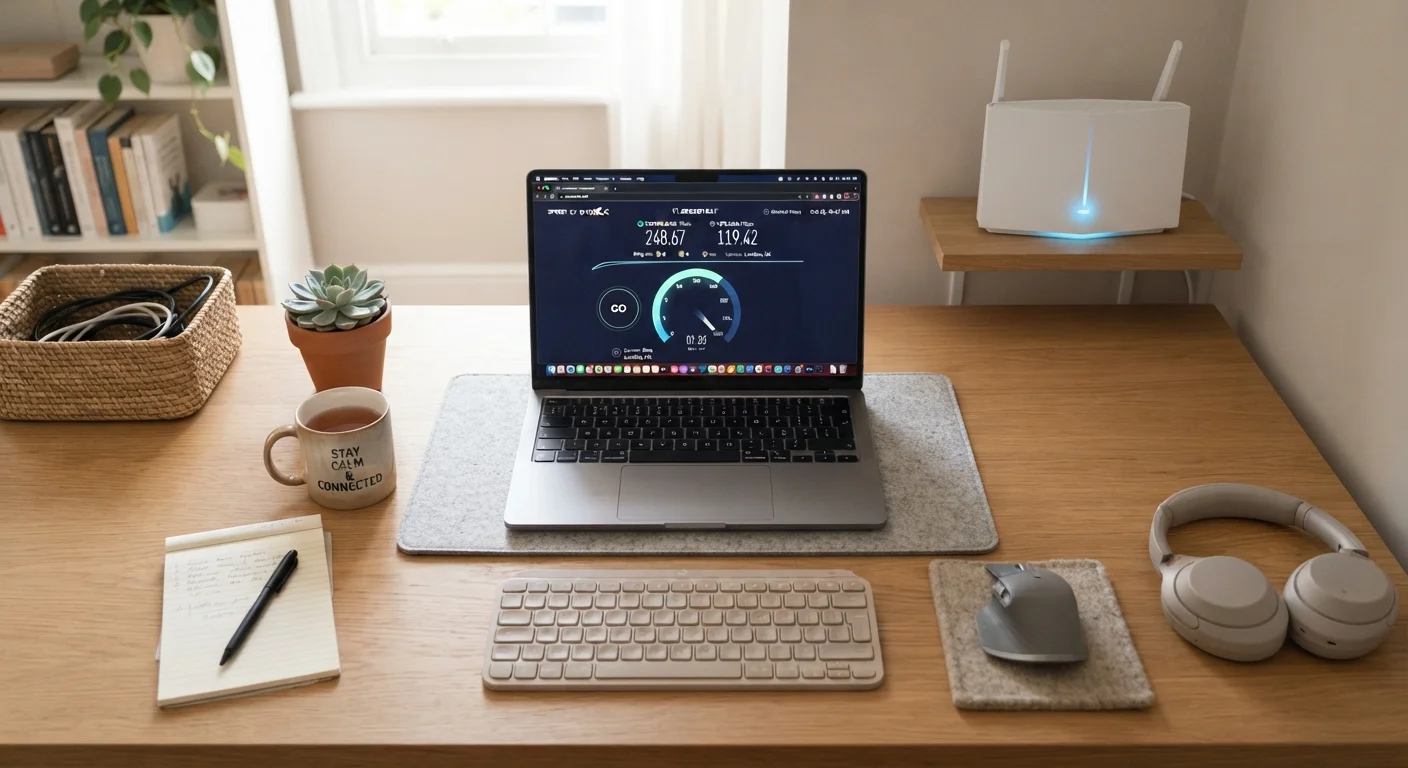
Photo credit: ArticlesHaven.net
In this article
Mbps sounds technical, but the concept is simple. Learn what it measures and how to estimate the right speed for your household size.
Key Takeaways
- Mbps measures data transfer speed - higher numbers mean faster downloads and smoother streaming.
- Download speed affects most everyday tasks; upload speed matters for video calls and sharing large files.
- A household of four typically needs at least 100 Mbps to handle multiple simultaneous activities.
- Advertised speeds are maximums - real-world speeds are often lower due to network congestion and hardware limits.
- Mbps alone doesn't capture the full picture; latency and packet loss also shape your experience.
Breaking Down the Mbps Number
When an internet provider advertises a 200 Mbps plan, that number tells you how many megabits of data the connection can theoretically move per second. It's a rate, not a total - like miles per hour rather than miles traveled.
The distinction between bits and bytes trips people up constantly. Storage devices and file sizes use bytes (MB, GB), while internet speeds use bits (Mbps, Gbps). Since one byte equals eight bits, a 100 Mbps connection can download roughly 12.5 megabytes per second - useful to know when estimating how long a large file will take to arrive.
Providers advertise two separate speed figures: download and upload. Download speed covers most of what households do - streaming, browsing, video calls incoming. Upload speed matters when data leaves your device: sending emails with attachments, backing up to the cloud, or broadcasting a video call. Many cable and DSL plans offer asymmetric speeds, meaning upload is significantly slower than download. Fiber plans tend to offer more balanced ratios.
100/20 Mbps
FCC's updated broadband definition
The FCC updated its benchmark definition of broadband to 100 Mbps download and 20 Mbps upload, reflecting the reality of modern household internet demands.
25 Mbps
Minimum for a single 4K stream
Major streaming platforms recommend at least 15-25 Mbps for stable 4K playback on a single device, per their own published guidelines.
~12.5 MB/s
Real download rate at 100 Mbps
Because there are 8 bits in a byte, a 100 Mbps connection moves approximately 12.5 megabytes of file data per second under ideal conditions.
How Much Mbps Does a Real Household Use?
The right amount of bandwidth depends on two things: what your household does online and how many devices are doing it at the same time. Bandwidth isn't reserved - it's shared across every active connection in your home simultaneously.
Here are some rough per-activity benchmarks commonly cited by streaming platforms and industry sources:
- Standard-definition (SD) streaming: ~3 Mbps per stream
- High-definition (HD) streaming: 5-8 Mbps per stream
- 4K streaming: 15-25 Mbps per stream
- Video conferencing: 3-5 Mbps per session
- Online gaming: 3-6 Mbps (though latency matters more than raw speed here)
- Smart home devices: typically under 1 Mbps each, but they add up
A family of four, each on their own device, can easily consume 50-100 Mbps just from simultaneous HD streaming. Add remote work, gaming, and a handful of smart devices, and 100-200 Mbps becomes a reasonable floor rather than a luxury. For context, the FCC currently defines broadband at 100 Mbps download / 20 Mbps upload as its updated benchmark - a meaningful shift from the older 25/3 standard.
Count Concurrent Devices, Not Just Users
Smart TVs, streaming sticks, tablets, phones, and smart home gadgets all draw bandwidth even when no one is actively using them - updates, syncing, and background refreshes add up. When estimating your household's needs, count active devices, not just people.
For households weighing higher-tier plans, it's worth reading who genuinely needs gigabit internet before committing to speeds that may exceed what your devices and wiring can actually use.
What Mbps Doesn't Tell You
Mbps is a useful starting point, but it's an incomplete measure of internet quality. Two plans with identical Mbps ratings can deliver very different experiences depending on factors that don't appear in the advertised number.
Advertised vs. actual speed: Providers list maximum (peak) speeds, not guaranteed speeds. Real-world throughput drops during evening peak hours when more users share the same local infrastructure, and your router's age, placement, and the Wi-Fi band you're on all chip away at that ceiling.
Latency: This is the delay between sending a request and receiving a response, measured in milliseconds (ms). A 500 Mbps plan with 80ms latency will feel laggier during video calls and gaming than a 100 Mbps plan with 10ms latency. Fiber connections tend to have lower latency than cable or DSL.
Consistency: Speeds that fluctuate wildly throughout the day - even if they peak high - make buffering and call drops more likely than a slower, steady connection. For a deeper look at these often-overlooked metrics, see latency, jitter, and packet loss explained.
“Speed is just one dimension of internet performance. A connection with high Mbps but poor latency or consistency can feel worse in practice than a lower-speed plan that delivers reliably.”
— FCC Broadband Data Collection Report, Federal Communications Commission, consumer guidance documentation
Understanding what sits behind the advertised number is also important when you're comparing plan tiers. The full breakdown of speed tiers and data caps covers what those plan labels actually translate to in everyday use.
Estimating the Right Speed for Your Home
Rather than guessing, use a simple audit of your household's habits. Count the number of people likely to be online at peak times - typically evenings and weekends - then estimate the bandwidth-heaviest thing each person might be doing simultaneously.
A practical rule of thumb: multiply your peak concurrent users by 25 Mbps as a conservative starting estimate, then add a buffer for background tasks and smart devices. For most single-person or couple households, 50-100 Mbps is sufficient. Families with three or more active users benefit from 100-300 Mbps. Very large households or heavy users may want to consider higher tiers, though it's worth checking whether your router and home wiring can actually support those speeds before upgrading.
If you're unsure where your current plan stands, run a speed test (several free tools are widely available) during peak evening hours. The result tells you what you're actually getting - not what you're paying for. If the gap between advertised and actual is significant, that's a conversation to have with your provider before assuming you need a faster plan.
For households whose internet comes bundled with TV or phone service, the speed tier bundled into those packages is worth scrutinizing separately. See how speed tiers within bundles affect everyday use to understand whether your bundle's included speed actually fits your needs.
Your Router Can Be the Bottleneck
Even on a high-speed plan, an older or poorly positioned router may cap out well below your plan's Mbps rating. Before upgrading your internet tier, check whether your router supports your current plan's speed - many older models top out at 100 Mbps regardless of what's coming into the home.
Frequently Asked Questions

Author
Articles Haven Editorial Contributor
Articles Haven Editorial Team is the collective byline for our editorial team and contributor network. Articles published under this byline or an editorial pen name are researched, written, and reviewed according to our editorial standards for clarity, consistency, and independence before publication.
View all articles →