
Gigabit Internet: What It Is, Who Genuinely Needs It, and What Supports It at Home
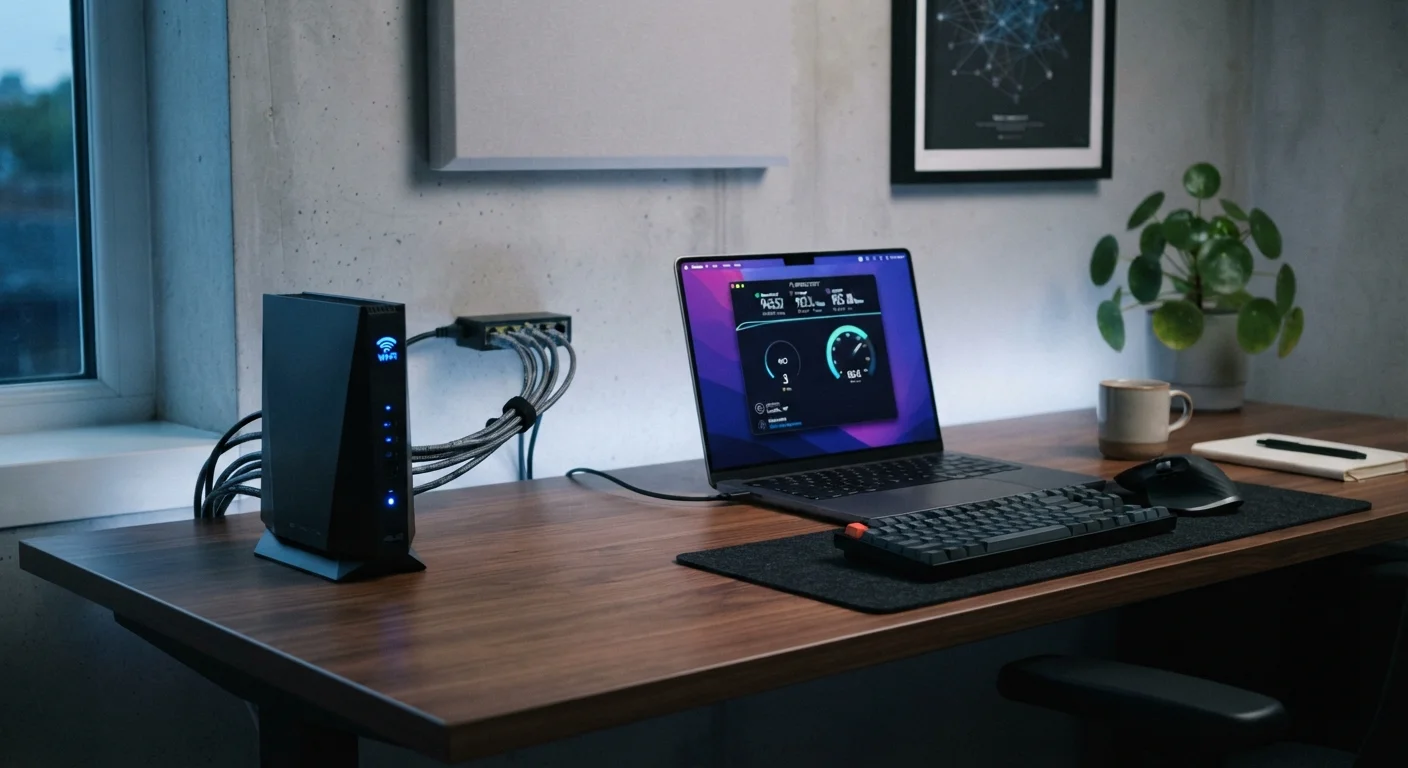
Photo credit: ArticlesHaven.net
In this article
Gigabit plans are increasingly available — but your router, wiring, and actual usage patterns determine whether the speed is usable.
Key Takeaways
- Gigabit internet means roughly 1,000 Mbps download speed - enough for nearly any household activity.
- Most single-user households and even moderate multi-device homes don't require gigabit speeds.
- Your router, ethernet wiring, and device hardware often cap your real-world speeds well below 1 Gbps.
- Fiber connections deliver gigabit more reliably than cable; DSL cannot reach these speeds.
- Heavy uploaders, large households, and home offices with multiple video calls benefit most.
Handles heavy simultaneous multi-device usage comfortably
With 1 Gbps available, even households with many active users streaming, gaming, and calling at once are unlikely to experience congestion caused by bandwidth limits.
Fiber gigabit offers strong symmetrical upload speeds
Fiber-based gigabit plans often deliver upload speeds close to download speeds, which is a meaningful advantage for remote workers, cloud backup users, and content creators.
Reduces download times for large files significantly
Game updates, software packages, and large media files that might take 10-15 minutes on a 100 Mbps plan can complete in under two minutes on gigabit, which adds up for frequent downloaders.
More headroom as connected devices increase over time
The average US household continues to add internet-connected devices. Gigabit provides overhead that absorbs this growth without requiring a plan upgrade soon.
Most home hardware can't fully utilize 1 Gbps
Consumer Wi-Fi routers, older device ethernet ports, and wireless interference mean the speeds experienced in practice are often well below the plan maximum, regardless of what the ISP delivers.
Higher cost with diminishing returns for lighter users
Gigabit plans typically carry a noticeable price premium over mid-tier options, and households that don't consistently push bandwidth limits pay for headroom they rarely use.
Cable-based gigabit often has asymmetric upload speeds
On many cable networks, gigabit download speed is paired with upload speeds as low as 35 Mbps - a real limitation for video conferencing, cloud backup, or sharing large files.
Router upgrade may be required to benefit fully
Getting close to advertised gigabit speeds on Wi-Fi typically requires a Wi-Fi 6 or newer router, adding cost that should be factored into the true expense of upgrading.
Not universally available - depends on infrastructure
Fiber gigabit, the most reliable form, is still unavailable in many US markets, particularly rural and suburban areas. Cable gigabit is more widely available but with the noted upload limitations.
What Gigabit Internet Actually Means
Gigabit internet refers to a service plan with a download speed of approximately 1,000 megabits per second (Mbps), or 1 Gbps. To put that in practical terms, a 4K movie file of around 15 GB could theoretically download in under two minutes at that speed. In practice, no single device will ever reach those peak numbers - your actual throughput depends on network conditions, server limits on the other end, and your local hardware.
Providers offer gigabit service primarily over fiber-optic and cable (DOCSIS 3.1) networks. Fiber is generally more consistent, delivering symmetrical or near-symmetrical upload speeds alongside the download speed. Cable-based gigabit plans often have significantly slower upload speeds - sometimes as low as 35-50 Mbps - which matters if you video conference, back up data to the cloud, or share large files.
If you're new to comparing plans, see our guide for first-time internet subscribers for a grounded framework before diving into speed tiers.
Upload vs. Download: Why It Matters
Internet plans advertise download speed most prominently because that's what applies to streaming, browsing, and downloads. Upload speed - how fast data travels from your home to the internet - governs video calls, cloud backups, and file sharing. Fiber gigabit plans often offer symmetrical or near-symmetrical speeds, while cable gigabit plans frequently cap uploads far lower. If you work from home or create content, the upload number deserves equal attention when comparing plans.
Who Genuinely Needs Gigabit Speeds
The honest answer is: fewer households than providers imply. Most common online activities - streaming HD or 4K video, video calling, casual gaming - consume far less bandwidth than 1 Gbps. Netflix recommends 25 Mbps per stream in 4K. A family running five simultaneous 4K streams would use about 125 Mbps total.
Where gigabit starts to make practical sense:
- Households with 6+ heavy simultaneous users who all stream, game, and video call at once
- Home offices that upload large video, design, or data files to cloud platforms regularly
- Content creators who push large video exports to platforms or editors
- Smart home or tech-heavy households with dozens of always-connected devices, though most of those devices consume minimal bandwidth individually
For a clearer picture of how bandwidth needs scale with household size, our household internet comparison guide breaks it down by living situation.
25 Mbps
Netflix-recommended speed for one 4K stream
Netflix's own help documentation states that 4K Ultra HD streaming requires around 25 Mbps per stream, illustrating how far most activities sit below gigabit capacity.
~40%
US homes with access to fiber internet
According to the FCC's Broadband Data Collection, fiber-to-the-premises coverage reached approximately 40% of US residential locations as of recent reporting periods, with ongoing expansion.
16-17
Average connected devices per US household
Deloitte's Digital Media Trends surveys have consistently found US households averaging in the mid-teens for connected devices, a number that factors into realistic bandwidth planning.
What Your Home Hardware Actually Supports
This is where many gigabit subscribers are genuinely surprised. Even with a gigabit plan active, bottlenecks inside your home can cap real speeds dramatically:
- Router capability: Many consumer routers - especially those supplied by ISPs - have hardware limits that prevent them from routing 1 Gbps consistently. A router with Wi-Fi 5 (802.11ac) may max out around 400-600 Mbps on a good day. Wi-Fi 6 (802.11ax) or Wi-Fi 6E routers handle gigabit throughput more reliably.
- Ethernet port speed: Older laptops and desktops often have 100 Mbps ethernet ports, not Gigabit Ethernet (1000BASE-T). Plugging into a router won't help if the port itself is a bottleneck.
- Wi-Fi interference and distance: Walls, interference from neighboring networks, and distance from the router all reduce wireless throughput significantly. A device two rooms away on Wi-Fi 5 might see 150-250 Mbps even on a gigabit plan.
- Wiring quality: Cable internet running through older coax or a degraded line can introduce packet loss that limits effective speeds regardless of the plan tier.
Handles heavy simultaneous multi-device usage comfortably
With 1 Gbps available, even households with many active users streaming, gaming, and calling at once are unlikely to experience congestion caused by bandwidth limits.
Fiber gigabit offers strong symmetrical upload speeds
Fiber-based gigabit plans often deliver upload speeds close to download speeds, which is a meaningful advantage for remote workers, cloud backup users, and content creators.
Reduces download times for large files significantly
Game updates, software packages, and large media files that might take 10-15 minutes on a 100 Mbps plan can complete in under two minutes on gigabit, which adds up for frequent downloaders.
More headroom as connected devices increase over time
The average US household continues to add internet-connected devices. Gigabit provides overhead that absorbs this growth without requiring a plan upgrade soon.
Most home hardware can't fully utilize 1 Gbps
Consumer Wi-Fi routers, older device ethernet ports, and wireless interference mean the speeds experienced in practice are often well below the plan maximum, regardless of what the ISP delivers.
Higher cost with diminishing returns for lighter users
Gigabit plans typically carry a noticeable price premium over mid-tier options, and households that don't consistently push bandwidth limits pay for headroom they rarely use.
Cable-based gigabit often has asymmetric upload speeds
On many cable networks, gigabit download speed is paired with upload speeds as low as 35 Mbps - a real limitation for video conferencing, cloud backup, or sharing large files.
Router upgrade may be required to benefit fully
Getting close to advertised gigabit speeds on Wi-Fi typically requires a Wi-Fi 6 or newer router, adding cost that should be factored into the true expense of upgrading.
Not universally available - depends on infrastructure
Fiber gigabit, the most reliable form, is still unavailable in many US markets, particularly rural and suburban areas. Cable gigabit is more widely available but with the noted upload limitations.
If you're weighing bundled service options that include internet, our overview of bundles and TV packages covers how speed tiers factor into bundle pricing.
Making the Decision: Is the Upgrade Worth It?
Before upgrading, run a speed test on your current connection at peak usage hours. If you're consistently hitting 80-90% of your current plan's advertised speed and still noticing congestion - slow streaming, lag during calls, sluggish downloads - a faster plan may help. If you're regularly getting 300 Mbps on a 400 Mbps plan with no complaints, upgrading to gigabit is unlikely to change your experience noticeably.
Also check what the actual price difference is. Gigabit plans from fiber providers have become more affordable, but cable gigabit plans often carry a significant premium over mid-tier options. Factor in whether you'd also need to upgrade your router to take full advantage - a quality Wi-Fi 6 router adds to the real cost of the switch.
The bottom line: gigabit is a future-proof choice for households that are growing or already bandwidth-heavy. For everyone else, a well-matched mid-tier plan on a reliable connection type will deliver better value and a nearly identical experience day to day.

Author
Articles Haven Editorial Contributor
Articles Haven Editorial Team is the collective byline for our editorial team and contributor network. Articles published under this byline or an editorial pen name are researched, written, and reviewed according to our editorial standards for clarity, consistency, and independence before publication.
View all articles →