
Internet Plan Comparison by Household Type: Solo Renters, Families, and Home Offices
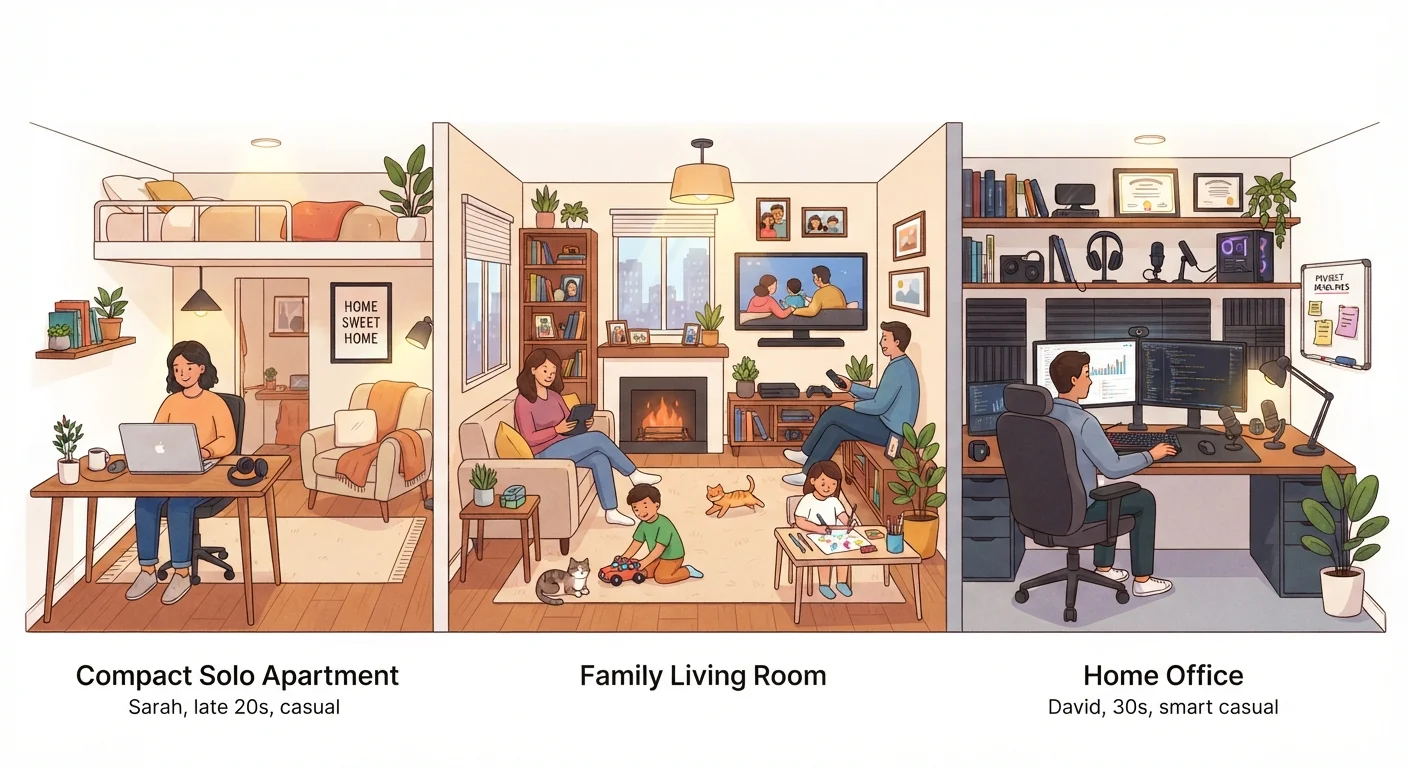
Photo credit: ArticlesHaven.net
In this article
A single renter and a five-person household have different bandwidth demands. Here's how to frame your needs before you compare plans.
Key Takeaways
- Solo renters typically need 25-100 Mbps, but streaming habits and device count can push that higher.
- Families with multiple simultaneous users benefit most from plans with symmetrical or near-symmetrical upload speeds.
- Home office users should prioritize upload speed and connection reliability over raw download numbers.
- Data caps, contract terms, and equipment fees deserve as much scrutiny as the advertised speed tier.
- Your building or rental agreement may limit available providers - worth checking before comparing plans.
Why Household Type Changes Everything
Internet plan marketing tends to flatten all households into the same buyer. You see tiered speed packages - 100 Mbps, 300 Mbps, 1 Gbps - without much guidance on which tier matches your actual living situation. The result is that solo renters often overpay for capacity they'll never use, while families and remote workers underestimate what they actually need and end up frustrated.
The more useful starting point is your household's specific demand profile: how many people are online simultaneously, what kinds of activities they're doing, and whether anyone's income depends on the connection staying stable. Those three questions do more to narrow the field than any speed chart.
If you're new to choosing a plan, the starting point for first-time subscribers covers the foundational concepts worth understanding before you compare providers.
Solo Renters: Keep It Simple, Watch the Fine Print
A single person working from a laptop, streaming a show at night, and occasionally hopping on a video call doesn't need a gigabit connection. Plans in the 25-100 Mbps range typically cover that usage with room to spare. The exception is if you're gaming competitively (latency matters more than raw speed) or regularly downloading large files.
For solo renters, the more consequential decisions are often around contract length and equipment fees rather than speed tiers. Month-to-month plans cost more monthly but offer flexibility - important if your lease is short-term. Many renters also face limited provider choices based on building agreements. What renters should know about building ISP restrictions is worth reviewing if you suspect your options are narrowed by your landlord.
Also check for data caps. Streaming video consumes more data than most people expect, and some lower-cost plans impose monthly caps that can trigger overage charges.
Advertised Speed Isn't Guaranteed Speed
Providers advertise speeds 'up to' a given number, which means real-world performance can vary based on network congestion, your router hardware, and wiring in your building. If you're locked into a contract based on speed expectations, check whether the provider publishes typical speed ranges or offers any performance guarantees in writing.
Family Households: Bandwidth Headroom Is the Real Goal
In a household with three or more active users, the challenge isn't any single person's usage - it's the overlap. Two kids streaming different shows, a parent on a video call, and a smart TV running a background update can all compete for bandwidth at once. Plans that look sufficient on paper can feel sluggish when everything runs simultaneously.
For most families, a plan in the 200-500 Mbps range provides meaningful headroom for concurrent use. Symmetrical speeds (equal upload and download) become more valuable when multiple household members are video calling or uploading content at the same time. Estimating how many devices your plan can support gives a practical framework for running the numbers on your own home.
| Solo Renter | Family Household | Home Office | |
|---|---|---|---|
| Typical download need | 25-100 Mbps | 200-500 Mbps | 100-300 Mbps |
| Upload speed priority | Low | Moderate | High |
| Simultaneous users | 1-2 | 3-6+ | 1-2 (work-focused) |
| Key concern | Cost and flexibility | Bandwidth headroom | Reliability and latency |
| Data cap sensitivity | Moderate | High | Moderate-High |
| Contract flexibility | Prefer month-to-month | Willing to commit | Depends on lease |
| Connection type preference | Cable or fiber if available | Fiber or cable | Fiber strongly preferred |
Families should also think about whether bundling services - internet paired with TV or phone - makes financial sense. Bundled internet and TV options can simplify billing, though the savings depend heavily on what you actually use.
Home Offices: Reliability and Upload Speed Take Priority
Remote work puts a fundamentally different demand on a home connection than entertainment does. Video conferencing platforms, VPNs, cloud file systems, and remote desktop tools are all upload-intensive and latency-sensitive. A plan with a fast download speed but weak upload capacity - common with older cable infrastructure - can make work calls choppy even when streaming feels fine.
Check Upload Speed, Not Just Download
Most plan marketing highlights download speeds because that's what streaming uses. But video calls, cloud backups, and file sharing all depend on upload bandwidth. If your household includes anyone who works remotely or video chats regularly, ask the provider for the upload speed before signing - it matters more than many shoppers realize.
Fiber connections are generally preferred for home offices because they offer symmetrical speeds and more consistent performance under load. Where fiber isn't available, cable plans with explicitly stated upload speeds (look for 10 Mbps upload or higher) can still work for most professional tasks. What a work-from-home internet setup actually demands goes deeper on the specific bandwidth requirements of common remote work tools.
7+
Average connected devices per US household
According to data from the American Customer Satisfaction Index and industry research, the average US home has more than seven internet-connected devices active at any given time.
~28%
US workers who work from home at least part-time
Pew Research Center data suggests roughly a quarter to a third of US workers work from home at least some of the time, increasing residential upload demand significantly.
If your home doubles as both a work environment and a family household, treat it as the more demanding of the two use cases. The comparison of fiber, cable, DSL, and fixed wireless can help you evaluate what technology is realistically available at your address and how each performs under pressure.
What to Look Past When Comparing Plans
Speed tiers and monthly prices capture most of the attention, but several other factors can determine whether a plan actually works for your household. Things people overlook when comparing internet plans covers this in detail, but the short version: equipment rental fees, installation timelines, early termination fees, and whether the promotional rate eventually steps up to a higher price all deserve scrutiny before you sign.
Data caps are another area where the fine print matters. Unlimited plans vary in how they handle network management during peak hours - some throttle speeds once you cross a threshold even on nominally unlimited plans. Ask specifically about network management policies, not just whether the plan is labeled unlimited.
Finally, if you're weighing whether a gigabit plan is actually worth the price premium for your household, who actually needs gigabit internet breaks down the realistic use cases where that capacity pays off versus where it's overkill.

Author
Articles Haven Editorial Contributor
Articles Haven Editorial Team is the collective byline for our editorial team and contributor network. Articles published under this byline or an editorial pen name are researched, written, and reviewed according to our editorial standards for clarity, consistency, and independence before publication.
View all articles →