
Household Task Apps: What Features Actually Matter for Daily Use
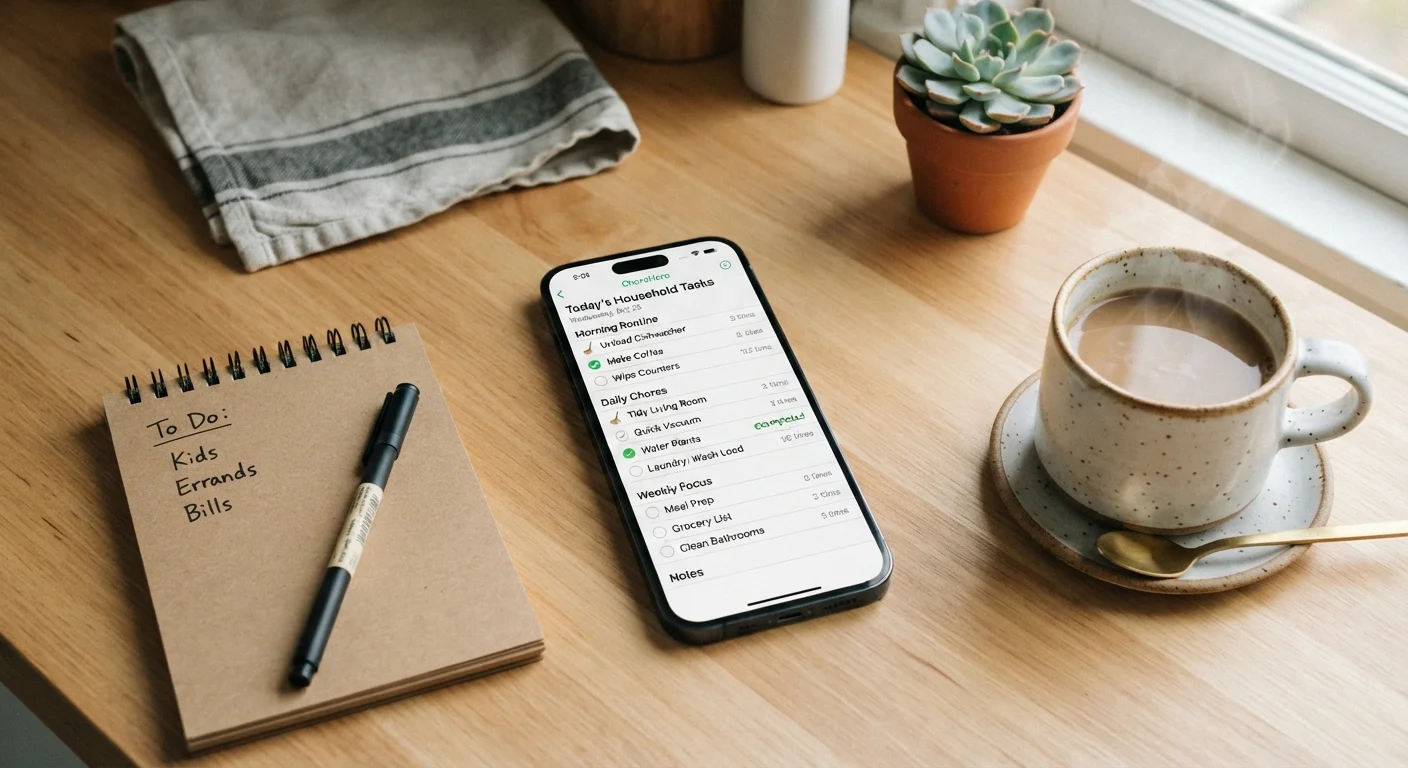
Photo credit: ArticlesHaven.net
In this article
With dozens of household management apps available, understanding which features provide real daily value helps cut through the noise.
Why Most Household Apps Fail at Daily Use
Download enough household management apps and a pattern emerges: they look polished in screenshots, feel clunky within a week, and get abandoned within a month. The problem is rarely the app's design - it's a mismatch between flashy features and the friction of everyday life.
Home management covers far more ground than most apps anticipate - maintenance schedules, shared chores, grocery logistics, finances, and planning all compete for space. An app that tries to do all of it without prioritizing ease of entry usually loses to a sticky note on the fridge.
The features that survive daily use share one quality: low friction. If logging a task takes longer than doing the task, the habit breaks immediately. Below is a plain-language breakdown of which features genuinely earn their place.
| Primary use case | Coordinating recurring chores and shared household tasks |
| Key differentiator | Low-friction entry - three taps or fewer to log a task |
| Shared household support | Essential for multi-person households; optional for solo users |
| Most overlooked feature | Contextual or location-based reminders |
| Common abandonment cause | High setup burden with low immediate payoff |
| Subscription consideration | Grocery and task integration often locked behind paid tiers |
Features That Provide Real Daily Value
When evaluating any household task app, these are the categories worth scrutinizing:
Shared Access and Assignment
Single-user task lists are fine for solo households. Everyone else needs real-time shared lists where tasks can be assigned to specific people. Look for apps that push a notification when someone is assigned a chore - not just when a due date arrives. This closes the coordination gap that often goes unacknowledged in household planning.
Recurring Task Templates
Most household chores are not one-time events. Vacuuming, HVAC filter changes, and bill payments repeat on predictable schedules. An app without solid recurring-task support forces you to manually recreate the same entries, which almost no one does consistently. Recurring templates - especially ones that adjust for monthly or seasonal cycles - are a baseline requirement, not a premium feature.
Reminders With Context
A reminder that fires at 8 a.m. on a workday is easy to dismiss and forget. Location-based reminders (triggered when you arrive home) or time-of-day reminders tied to routines perform better. Some apps allow notes or photos attached to a task, which is genuinely useful for maintenance records - photographing a replaced part, for instance, provides context that a bare task title never could.
Quick Entry
The fastest test for any app: how many taps does it take to add a new task? If the answer is more than three, adoption rates suffer. Voice input and widget support on a phone's home screen shrink that number further. Apps that require you to open, navigate, select a category, name the task, assign it, and set a due date before saving will not survive contact with a busy household.
Free Tiers vs. Paid Plans: What's Usually Gated
Most household apps offer a functional free tier but reserve multi-user sharing, recurring task automation, or grocery sync for paid subscriptions. Before committing to a paid plan, test whether the free version covers your household's actual daily workflow. Many households find one or two core features are missing at the free level - and that gap drives upgrade decisions more than any premium add-on does.
Grocery and Inventory Integration
Grocery lists are household tasks. Apps that separate them into disconnected modules - or require a separate subscription tier to sync a shopping list - add unnecessary complexity. Integrated grocery management, ideally with shareable real-time lists, reduces the number of apps a household needs to maintain. If you're already auditing your household subscriptions, consolidating app subscriptions is worth doing at the same time.
Features That Sound Useful but Rarely Are
Some features get promoted heavily but rarely translate into sustained daily use:
- Gamification and point systems: Chore reward systems work well for children's apps. For adult households, they tend to feel patronizing after novelty fades.
- AI-generated task suggestions: Algorithmically suggested chore lists are only helpful if they match your actual home and routines, which requires meaningful setup. Most users skip setup and then find suggestions irrelevant.
- Complex project timelines: Gantt-style views are genuinely useful for home renovation tracking but are overkill for weekly household maintenance. If a feature requires a tutorial to use, it rarely gets used.
For households weighing digital tools against simpler approaches, the comparison between shared apps and paper chore charts is worth reading before committing to a subscription.
Recurring Task
A task that repeats automatically on a defined schedule - daily, weekly, monthly, or custom. The app regenerates the task after it's marked complete without requiring manual re-entry.
Shared Household List
A task or shopping list that multiple household members can view and edit in real time from their own devices. Changes sync across accounts instantly.
Contextual Reminder
A notification triggered by a condition - such as time of day, location, or another completed task - rather than a fixed calendar alarm. More likely to be acted on than generic time-based alerts.
Task Assignment
The ability to link a specific task to a named household member, who typically receives a notification and can mark it complete on their own device.
Widget
A small app display placed directly on a phone's home screen that shows key information - like today's tasks - without requiring the user to open the full app.
Maintenance Log
A record within the app that tracks completed home maintenance tasks, often with dates, notes, or photos attached. Useful for tracking appliance service history or seasonal upkeep.
~30 days
Typical app abandonment window
Research on habit formation consistently shows productivity apps lose most users within the first month if early use isn't reinforced by visible utility.
3 taps
Maximum friction threshold for daily task entry
UX research into task management tools suggests users abandon apps requiring more than three interactions to log a routine item.
60%+
Household tasks that are recurring
Household management frameworks estimate the majority of domestic tasks repeat on weekly or monthly cycles, making recurring-task support a core need.

Author
Articles Haven Editorial Contributor
Articles Haven Editorial Team is the collective byline for our editorial team and contributor network. Articles published under this byline or an editorial pen name are researched, written, and reviewed according to our editorial standards for clarity, consistency, and independence before publication.
View all articles →