
Understanding Your Auto Insurance Declarations Page
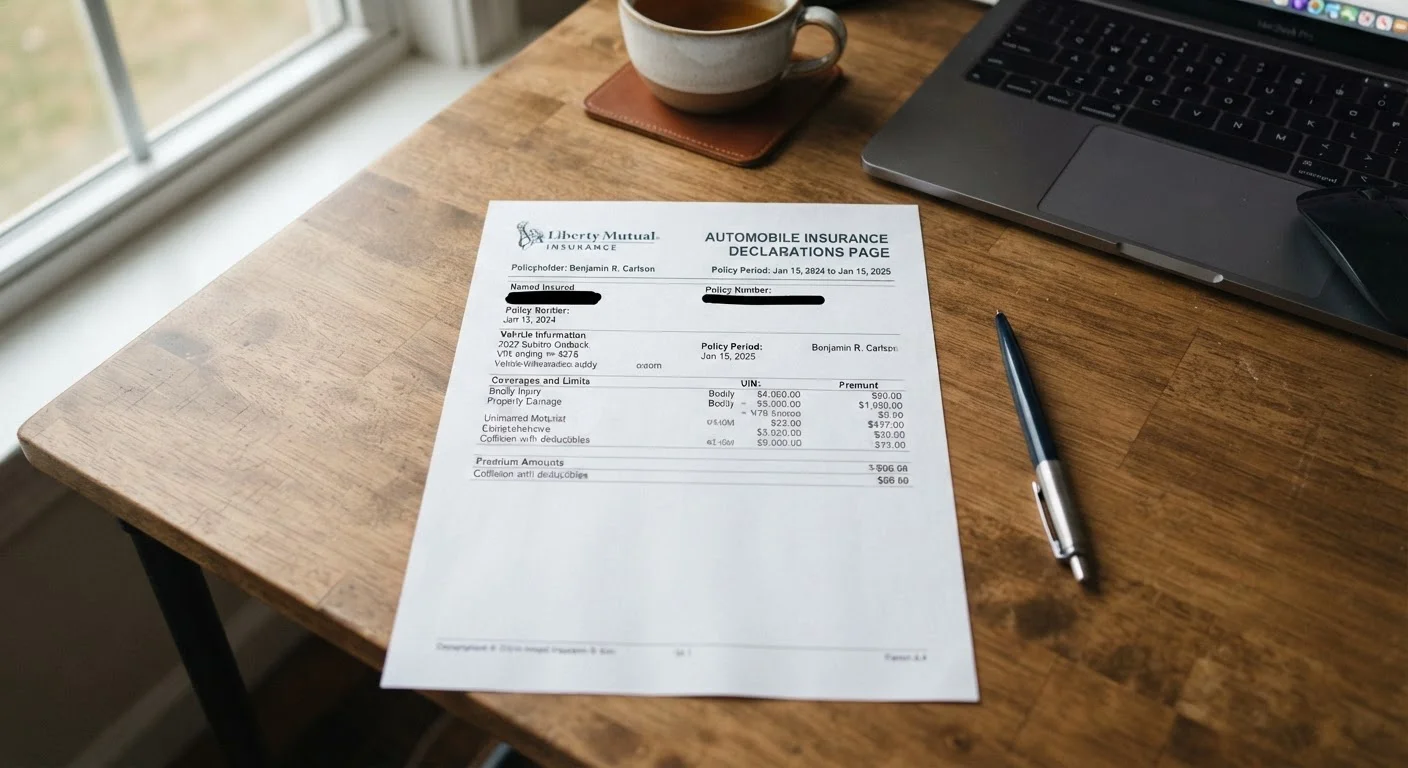
Photo credit: ArticlesHaven.net
In this article
That multi-page document from your insurer holds everything you need to know about your policy—here's how to read it.
Key Takeaways
- The declarations page summarizes your entire auto policy on one or two pages - it's your go-to reference.
- Coverage types, limits, deductibles, and premium amounts are all listed in clearly labeled sections.
- Errors on your declarations page can affect claims; always verify the details when a new policy or renewal arrives.
- Your declarations page is not the full policy - exclusions and conditions appear in the main policy document.
- Lienholders and additional drivers listed on the page directly affect who and what is covered.
What the Declarations Page Actually Is
The declarations page is a condensed summary of your auto insurance policy - everything that's specific to your vehicle, your coverage choices, and your premium. While the full policy document can run dozens of pages, the declarations page distills the essential facts to one or two pages. Think of it as the label on the package: it tells you what's inside without requiring you to read the entire contents.
It's distinct from your insurance ID card, which simply confirms coverage exists. As covered in what your insurance ID card proves, that small card doesn't reflect your actual limits or deductibles. The declarations page does.
When you renew your policy, get a new vehicle, or change your coverage, a new declarations page is issued. That's your signal to review it carefully.
What you will need
How to Read It, Step by Step
The sections below walk through each part of the declarations page in the order they typically appear. Pull out your document and follow along.
Auto Insurance Declarations Page
The document you'll be reading and verifying throughout this process.
Vehicle Registration or Title
Used to cross-check vehicle details like the VIN and listed owner name.
Previous Declarations Page
Lets you compare coverage changes between policy periods at renewal.
Locate and open your declarations page
Your insurer sends a declarations page - sometimes called a "dec page" - at the start of each policy period and any time coverage changes. Check your email, insurer app, or the paper documents mailed to you. It is typically the first page or two of the policy packet.
Verify your personal and vehicle information
At the top of the page you'll find the named insured (the policyholder), the policy number, and the policy period - the start and end dates of your coverage. Below that, look for your vehicle's details: year, make, model, and VIN. Cross-check the VIN against your registration or the dashboard sticker. A single digit error can cause a claim denial.
Read the coverage types and their limits
This is the core of the declarations page. Coverage is typically listed in a table with the coverage name, the limit, and whether a deductible applies. Common lines include:
- Bodily Injury Liability (BI): Covers injuries you cause to others. Expressed as two numbers, e.g., 100/300 - meaning $100,000 per person and $300,000 per accident.
- Property Damage Liability (PD): Covers damage you cause to someone else's property.
- Collision: Covers damage to your vehicle from a collision, subject to your deductible.
- Comprehensive: Covers non-collision damage (theft, weather, fire), also subject to a deductible.
- Uninsured/Underinsured Motorist (UM/UIM): Covers you if the at-fault driver has no insurance or insufficient coverage.
- Medical Payments (MedPay) or Personal Injury Protection (PIP): Covers medical costs for you and passengers regardless of fault.
For a deeper look at how these coverage categories fit into the broader policy framework, the Coverage & Costs hub is a useful reference.
Check your deductibles
Deductibles appear next to collision and comprehensive coverage. This is the amount you pay out of pocket before insurance kicks in on a covered claim. A higher deductible lowers your premium but increases your financial exposure after an incident. Confirm these numbers match what you chose when you purchased or last renewed the policy.
Review listed drivers and any endorsements
All drivers covered under the policy are usually listed by name and sometimes by age or license number. Confirm that all licensed household members who regularly drive your vehicle are included. Omitting a regular driver can result in a claim being disputed.
Endorsements - add-ons to your base policy - may appear here or on a separate schedule. Common examples include roadside assistance, rental reimbursement, or gap coverage. Note what you have and what you're paying for each.
Confirm your total premium and payment schedule
The declarations page shows your total policy premium and how it's broken down - either annually or by the billing cycle you selected. Verify the total matches what you expected and what your payment confirmation shows. Discrepancies should be addressed with your insurer before the next billing date.
For context on how premiums, deductibles, and limits interact, the Insurance Types hub explains how auto coverage fits within the broader insurance landscape.
Declarations Page ≠ Full Policy
The declarations page is a summary - it does not list exclusions, conditions, or the specific language that governs how claims are handled. Always refer to the full policy document for those details. For a walkthrough of how the complete document is structured, see navigating a full policy document.
Keep a Digital Copy Handy
Most insurers now offer a digital declarations page through their app or online portal. Download a copy at the start of each policy period and store it somewhere easy to find - such as a dedicated folder in cloud storage. This makes it simple to cross-reference during renewal or after an accident.
What to Do If Something Looks Wrong
Errors on declarations pages are more common than most people expect - a transposed digit in the VIN, an outdated address, or a missing driver can all affect how a claim is processed. If anything doesn't match your records or what you agreed to, contact your insurer's customer service line and request a corrected endorsement.
Errors Can Affect Your Claim
A misspelled name, wrong vehicle identification number (VIN), or incorrect coverage limit on your declarations page isn't just a paperwork nuisance - it can create real complications when you file a claim. Contact your insurer immediately if you spot anything that doesn't match what you agreed to. Get corrections confirmed in writing.
Once corrected, compare your new declarations page against your previous one to confirm the change took effect. For a broader look at how policy documents are structured - including the sections that govern exclusions and definitions - see navigating a full policy document and what to look for before signing a policy.
This article is for general informational purposes only and does not constitute personalized insurance, financial, or legal advice. Coverage terms, limits, and regulations vary by provider and state. Always read your actual policy documents and consult a licensed insurance agent or adviser for guidance specific to your situation.

Author
Articles Haven Editorial Contributor
Articles Haven Editorial Team is the collective byline for our editorial team and contributor network. Articles published under this byline or an editorial pen name are researched, written, and reviewed according to our editorial standards for clarity, consistency, and independence before publication.
View all articles →