
How to Keep a Vehicle Maintenance Log
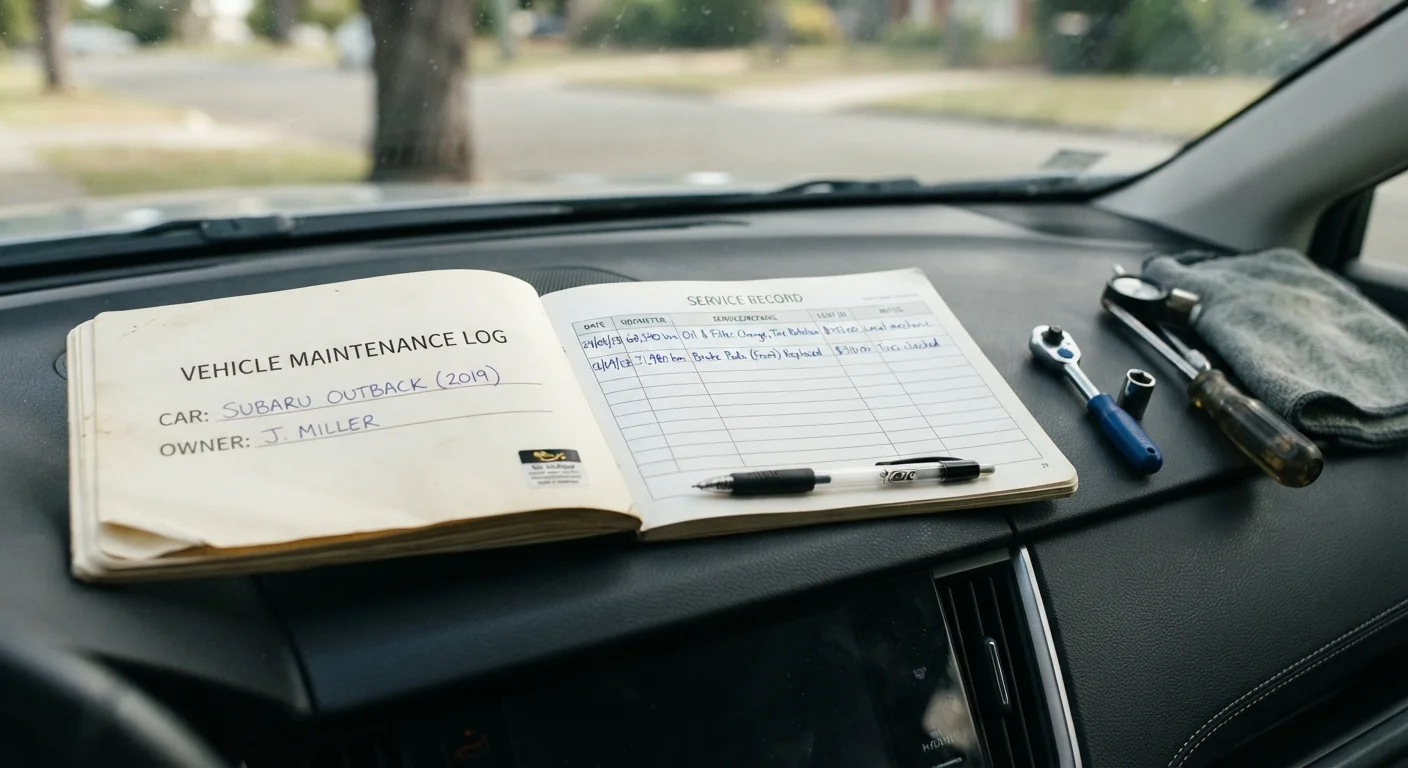
Photo credit: ArticlesHaven.net
A complete service history protects resale value and helps you catch patterns before they become expensive failures.
Key Takeaways
- A maintenance log creates a verifiable service history that supports resale value and warranty claims.
- Recording mileage, date, cost, and service type at every visit gives you useful pattern data over time.
- Both paper binders and digital apps work - consistency matters more than the format you choose.
- A complete log can reveal recurring issues that point to a systemic problem before it becomes a costly failure.
- Buyers and insurers may ask about documented service history; a log provides straightforward proof.
Why a Maintenance Log Is Worth the Habit
Most owners know roughly when they last changed their oil, but fewer can say exactly what was replaced at 47,000 miles or whether the transmission fluid was ever flushed. That gap in awareness has real consequences - both practical and financial.
A documented service history gives you data instead of guesswork. When a mechanic asks whether the coolant has been changed, you have an answer. When you're weighing whether to keep or sell the vehicle, a complete log informs the decision. And when you do sell, a log is tangible evidence of care - something a vehicle history report alone may not capture, since private-party and DIY service often goes unrecorded in third-party databases.
The same logic applies at any mileage. If you're deciding whether to hold onto an aging vehicle, a log helps you see repair frequency and cost trends clearly - relevant context explored in the trade-offs of keeping a high-mileage vehicle.
Dedicated logbook or binder
Provides a single physical location for all service entries, receipts, and manufacturer schedules.
Maintenance tracking app
Allows digital entry logging with reminders, mileage tracking, and cloud backup for easy retrieval.
Owner's manual
Lists the manufacturer's recommended service intervals so you can set accurate due dates in your log.
Receipt folder or envelope
Organizes paper receipts from shops and parts stores to support each log entry.
How to Build and Maintain Your Log
The steps below apply whether you're starting fresh with a new vehicle or catching up on a car you've owned for years. Consistency is more important than perfection - even a partial history is more useful than none.
What you will need
Choose your format
Decide whether you'll use a physical logbook or a digital solution before your first entry. A small spiral notebook or a dedicated auto-log binder works well if you prefer paper - keep it in the glove compartment so it's always accessible. If you'd rather go digital, look for a general maintenance app that lets you record date, mileage, service type, and cost. Either format works; pick the one you'll actually use consistently.
Record your starting point
Open the log and create a header entry for the vehicle: year, make, model, VIN, and current odometer reading. Note any services that were recently completed, even if you're working from memory or old receipts. This baseline tells you - and any future buyer - what condition the vehicle was in when you began tracking.
Set up your entry fields
Every log entry should capture the same core data points: date, odometer reading, service performed, parts or fluids used (with brand and quantity if relevant), shop name or self-performed notation, cost, and the next due date or mileage interval. Consistent fields make it easy to scan the log later and spot patterns or upcoming needs. Cross-reference your owner's manual to pull the correct intervals for each service type - see routine service intervals by mileage and time for a reliable reference.
Log every service event
Record an entry each time any work is done: oil changes, tire rotations, brake inspections, fluid flushes, filter replacements, belt or hose work, and any unscheduled repairs. Include recall completions and inspections. Small entries add up - a complete picture of your vehicle's history is built one service at a time.
File supporting receipts
Attach or file the receipt, invoice, or parts-store slip that corresponds to each log entry. Physical receipts can go in an envelope tucked inside the binder. Digital receipts can be saved as PDFs in a cloud folder organized by date. When a service is performed by a shop, ask for an itemized invoice that lists parts and labor separately - this is more useful than a summary receipt alone.
Review the log periodically
Every few months, scan back through recent entries and look for patterns: parts replaced more than once, recurring fluid issues, or services that are overdue. A well-maintained log becomes a diagnostic tool - frequency and timing of certain problems can point to a systemic issue worth discussing with a qualified mechanic before it escalates.
Set a Reminder After Every Service
The easiest time to update your log is within 24 hours of any service visit, before the receipt gets lost or the details blur. Set a calendar reminder on your phone to prompt you to record the entry and file the paperwork the same day.
DIY Work Still Needs to Be Logged
Many owners record dealer and shop visits but skip self-performed maintenance like fluid top-offs, filter swaps, or tire rotations. Gaps in your log undermine its value. Note any work you do yourself with the date, mileage, and the parts used, just as you would for a professional service.
Keep Receipts Alongside Your Log
A handwritten log entry is useful, but a matching receipt from the shop or parts store makes it verifiable. If you ever sell the vehicle or file an insurance or warranty claim, receipts are the evidence that backs up your records. Store them in a folder in the glove box or scan them into the same digital system as your log.
Over time, a well-kept log becomes a reference you'll return to often. It also puts you in a stronger position if questions arise about vehicle condition for insurance purposes or when understanding what history reports can and can't verify.

Author
Articles Haven Editorial Contributor
Articles Haven Editorial Team is the collective byline for our editorial team and contributor network. Articles published under this byline or an editorial pen name are researched, written, and reviewed according to our editorial standards for clarity, consistency, and independence before publication.
View all articles →