
Comparing Projectors and TVs for Home Viewing: Screen Size, Brightness, and Room Setup
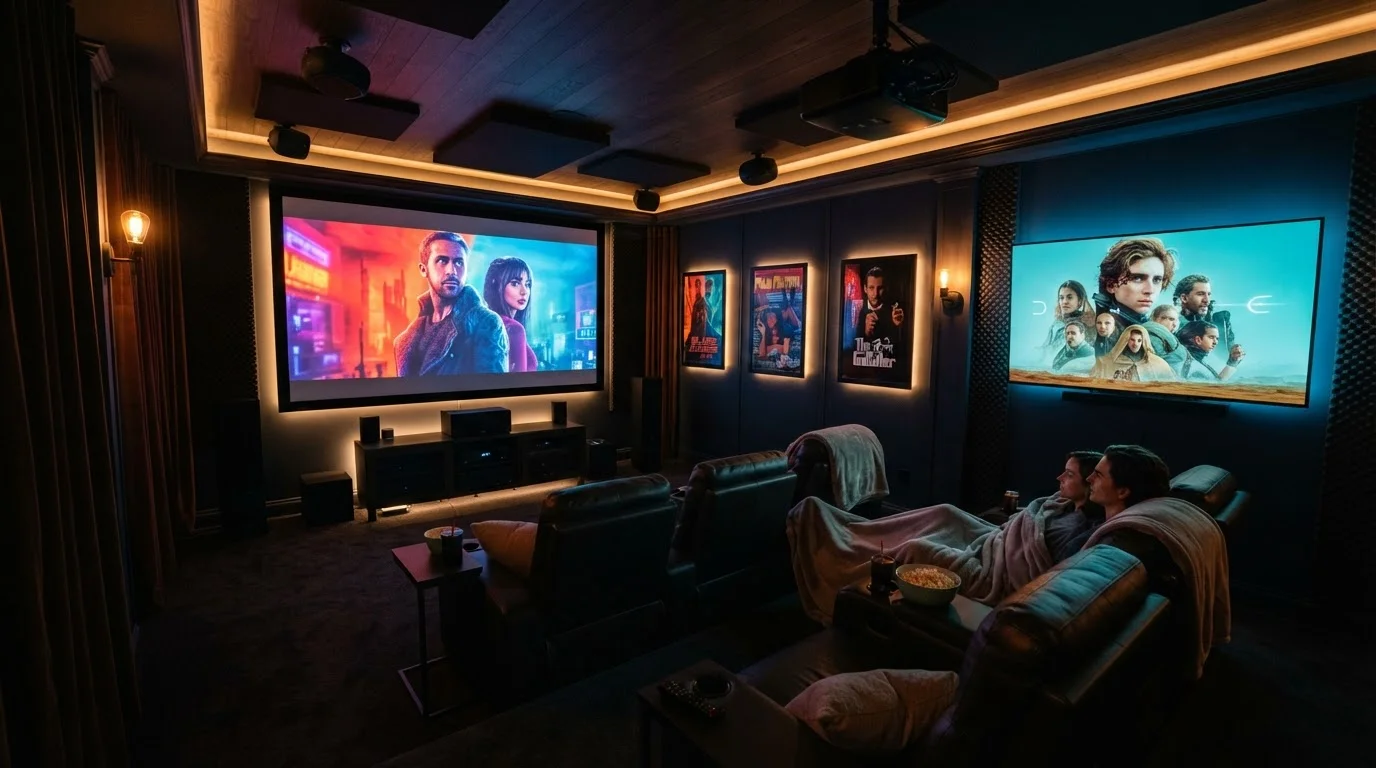
Photo credit: ArticlesHaven.net
In this article
Big-screen TVs and home projectors can deliver similar image sizes—but their strengths depend heavily on your room and lighting.
Key Takeaways
- Projectors can produce images over 100 inches diagonally at lower cost per inch than equivalently sized TVs.
- TVs perform significantly better in bright or mixed-light rooms without any room modifications.
- Projector image quality depends heavily on ambient light control, throw distance, and screen surface.
- Modern TVs offer simpler setup, consistent brightness, and longer-lasting panels with less maintenance.
- Room size, ceiling height, and layout should guide your decision as much as budget does.
Screen Size: How Each Option Scales
Screen size is usually the first reason people consider a projector. A mid-range projector can fill a 100-inch diagonal image in a standard living room - a size that would cost several times as much in TV form. For reference, a 100-inch flatscreen TV remains a premium, specialty product, while a projector hitting that image size sits at a much more accessible price point.
That said, image size isn't the only measure of quality. A 100-inch projected image in a bright room can look noticeably worse than a 75-inch TV in the same space. The useful comparison isn't just diagonal inches - it's perceived picture quality at your actual viewing distance and in your actual lighting.
| Criterion | Home Projector | Large-Screen TV |
|---|---|---|
| Maximum practical image size | 100-150+ inches | Up to ~98 inches (consumer) |
| Performance in bright rooms | Poor to moderate | Excellent |
| Setup complexity | High (distance, alignment, screen) | Low (mount or place) |
| Ongoing maintenance | Lamp replacement needed | Minimal |
| Input lag for gaming | Typically higher | Typically lower |
| Cost per screen inch | Lower at large sizes | Higher at large sizes |
TVs top out commercially around 85-98 inches for most consumers, though a handful of ultra-large models push past that. If your viewing distance is under 10 feet, a 75-85 inch TV will feel immersive without requiring a darkened room or careful projector placement.
Brightness and Lighting: The Deal-Breaker Factor
This is where projectors face their biggest structural limitation. Projector brightness is measured in lumens - most consumer models fall between 1,500 and 4,000 lumens. Even at the high end, a projector image washes out noticeably in rooms with sunlight or bright overhead lighting.
TVs, by contrast, can reach peak brightness levels far higher than what the human eye needs for a sunlit room. Panel technologies like QLED and OLED maintain contrast and color accuracy across a wide range of lighting environments. For more on how these panel types compare, see our guide to LCD vs. OLED display technology.
1,500-4,000
Lumens range for consumer projectors
Most consumer-grade projectors fall in this brightness range, which can struggle against even moderate ambient light.
~10-13 ft
Throw distance for a 100-inch image
Standard-throw projectors typically require this distance between lens and screen to produce a 100-inch diagonal image.
~20,000 hrs
Typical LED projector light source lifespan
LED and laser light sources in modern projectors can last far longer than traditional lamp-based models, which often needed replacement at 3,000-5,000 hours.
If your viewing room has blackout curtains or is used primarily in the evening, a projector's brightness limitation matters far less. Dedicated home theater rooms - with controlled lighting - are where projectors perform closest to their potential.
Room Setup: Space, Distance, and Installation
Projectors require what's called a throw distance - the gap between the lens and the screen. A standard projector needs roughly 1.5 to 2 times the screen width as throw distance. For a 100-inch image, that typically means 10-13 feet of clear distance, plus ceiling or shelf mounting. Short-throw and ultra-short-throw projectors reduce this dramatically, but they cost more and are sensitive to placement.
TVs are largely installation-agnostic by comparison. Wall-mounting a 75-inch TV is a manageable task (though the weight and stud placement matter), and no calibration is needed beyond basic picture settings. There's no lamp to replace, no screen surface to choose, and no risk of a shadow blocking the image.
Projector Screens vs. Painted Walls
A purpose-built projector screen uses a specially coated surface that reflects light more uniformly and helps preserve contrast compared to a plain white wall. Gain ratings on screens indicate how much they amplify brightness back toward the viewer. Ambient-light-rejecting (ALR) screens are a more expensive option designed to reduce washout in rooms with some ambient light, but they work best when light comes from above rather than directly at the screen.
Room acoustics and furniture arrangement also play a role. Projector setups often benefit from a purpose-built screen rather than a plain painted wall, which adds to both the cost and the setup effort. TVs skip this entirely.
Which Is Right for Your Setup?
The projector vs. TV decision comes down to three honest questions: How much control do you have over your room's lighting? How much space and ceiling height do you have? And how important is a very large image versus consistent everyday usability?
If you're building or converting a dedicated media room with light control, a projector offers cinema-scale images at a reasonable cost. If you're outfitting a living room, bedroom, or open-plan space where viewing happens at any hour and in varying light, a large-screen TV will serve most households better - reliably, every time.
Neither option is universally superior. The right choice is the one that fits your actual room and actual habits, not just your wishlist.

Author
Articles Haven Editorial Contributor
Articles Haven Editorial Team is the collective byline for our editorial team and contributor network. Articles published under this byline or an editorial pen name are researched, written, and reviewed according to our editorial standards for clarity, consistency, and independence before publication.
View all articles →