
Mechanical vs. Membrane Keyboards: What Makes Typing Feel Different
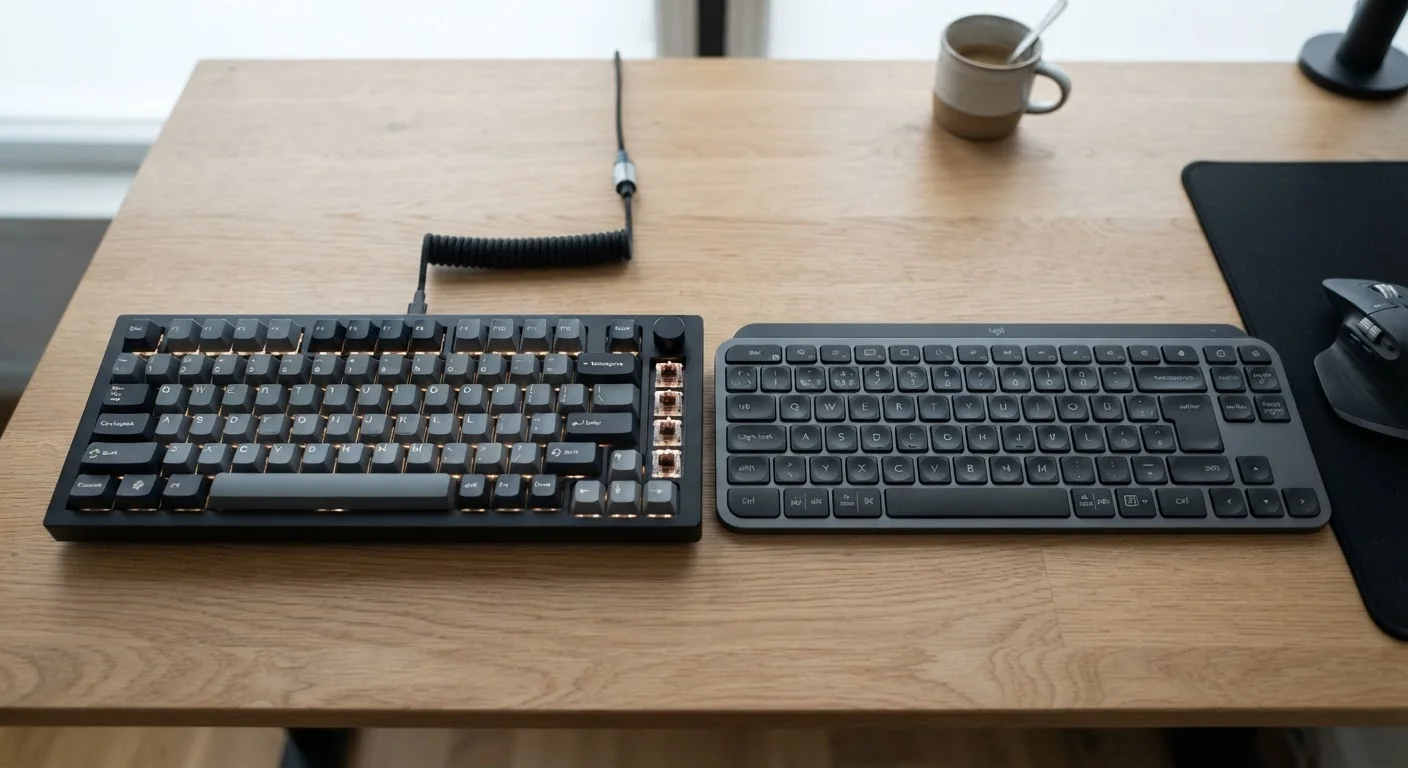
Photo credit: ArticlesHaven.net
In this article
Mechanical keyboards cost more but offer distinct tactile feedback. Understand what separates the two types before upgrading your setup.
Key Takeaways
- Mechanical keyboards use individual switches under each key; membrane keyboards use a pressure pad layer.
- Tactile and auditory feedback differs significantly between the two types.
- Membrane keyboards are generally quieter and lighter on the wallet.
- Mechanical keyboards tend to have longer rated lifespans due to their switch construction.
- Your use case - gaming, typing, office work - should guide which type fits your needs.
How Each Type Works Under the Keys
The core difference between mechanical and membrane keyboards comes down to what happens physically when you press a key.
Mechanical keyboards place an individual switch beneath every single keycap. Each switch contains a spring and a stem that travels down a housing when pressed. Depending on the switch type, you may feel a tactile bump, hear an audible click, or simply feel smooth linear resistance. The keystroke registers when the switch reaches its actuation point - usually well before the key bottoms out.
Membrane keyboards rely on a different approach. Three flexible layers sit beneath the keys: a top membrane, a middle layer with holes, and a bottom membrane. Pressing a key pushes the top membrane through the hole to contact the bottom layer, completing a circuit. There's no individual switch - just uniform pressure response across the board.
This structural difference explains almost every practical distinction you'll notice between them.
Feel, Sound, and Typing Experience Compared
Most people notice the difference between these keyboard types within the first few keystrokes.
Mechanical keyboards deliver a more defined, deliberate typing experience. The tactile feedback - that small resistance bump you feel mid-press - gives your fingers a physical signal that the key registered. This can reduce accidental double-presses and may reduce typing fatigue over long sessions for many users, though experiences vary. The sound signature ranges from satisfying clicks to subtle thuds depending on switch choice.
Membrane keyboards feel softer and more uniform. Keys compress smoothly with little variation in resistance across the board. This makes them quieter in most cases, which matters in offices, libraries, or late-night setups. The trade-off is that feedback is less precise - you typically bottom out the key completely before feeling confident it registered.
| Mechanical Keyboard | Membrane Keyboard | |
|---|---|---|
| Actuation feel | Tactile bump or linear, defined feedback | Soft, uniform pressure, less distinct |
| Noise level | Louder (varies by switch type) | Generally quieter |
| Typical price range | Higher entry cost | Lower to mid-range |
| Rated lifespan | 50-100 million keystrokes per switch | Shorter, harder to rate precisely |
| Repairability | Individual switches replaceable | Limited; usually full replacement |
| Customization options | High (switch types, keycaps) | Minimal |
| Weight and portability | Heavier in most cases | Lighter, thinner profile |
Neither feel is universally better. Touch typists who spend hours drafting documents often prefer mechanical switches for the clarity of feedback. Casual users or those in noise-sensitive settings often find membrane keyboards perfectly functional and less distracting.
Durability, Price, and Practical Considerations
Beyond typing feel, a few practical factors tend to tip the decision.
50-100M
Mechanical switch keystroke rating
Most mechanical keyboard manufacturers rate individual switches at 50 to 100 million actuations before failure.
~3mm
Typical key travel distance
Most mechanical and membrane keyboards share a similar total travel distance, but actuation point depth varies significantly by type.
Lifespan: Mechanical switches are typically rated for 50 to 100 million keystrokes per switch. Membrane keyboards are harder to rate precisely but generally wear out faster - the rubber dome or membrane layer degrades with extended use, and the feel becomes mushier over time.
Price range: Membrane keyboards span a wide range, from budget models to mid-tier office options. Mechanical keyboards carry a higher entry cost in most cases, reflecting the complexity of per-key switch manufacturing. That said, a well-maintained mechanical keyboard can outlast several membrane models.
Repairability and customization: Mechanical keyboards can often have individual switches replaced without replacing the whole board. Many also support hot-swappable switches, letting you change the feel entirely. Membrane keyboards offer almost no component-level customization.
Try Before You Commit
If you're unsure which switch feel you prefer, look for keyboard testers - small boards with multiple switch types - sold at many electronics retailers. Testing five minutes of typing on different switch types is far more informative than reading specifications alone. Some office supply stores also carry display models you can type on directly.
Portability and noise: Membrane keyboards are typically thinner and lighter, making them easier to tuck into a bag. They're also the quieter option by default, though some mechanical keyboards with "silent" switch variants close that gap considerably.
Which Type Should You Choose?
Start with your environment and primary use case.
If you share a workspace, work in an open office, or frequently type late at night near others, a membrane keyboard removes the noise variable entirely. They're also a sensible choice if you're equipping multiple desks on a budget or simply don't type heavily enough for switch quality to matter much day to day.
If typing is a significant part of your work - long writing sessions, coding, data entry - the defined feedback of a mechanical switch can make a noticeable difference in comfort and accuracy over time. The same applies if gaming precision or switch customization matters to you.
It's also worth considering a test before buying. Many electronics retailers have display models you can try. Typing feel is subjective, and what one person finds satisfying another finds fatiguing or loud. If you have the chance to press a few switch types in person, take it - your preference may surprise you.
Don't Assume Loud Means Better
Loud mechanical keyboards are sometimes associated with premium quality, but noise level is a switch characteristic, not a quality indicator. Silent mechanical switches and membrane keyboards can both perform reliably. Before purchasing for a shared space, check the switch's noise rating - not just the keyboard category.

Author
Articles Haven Editorial Contributor
Articles Haven Editorial Team is the collective byline for our editorial team and contributor network. Articles published under this byline or an editorial pen name are researched, written, and reviewed according to our editorial standards for clarity, consistency, and independence before publication.
View all articles →