
FCC Broadband Labels: How to Use the New Nutrition-Style Disclosures When Comparing Plans
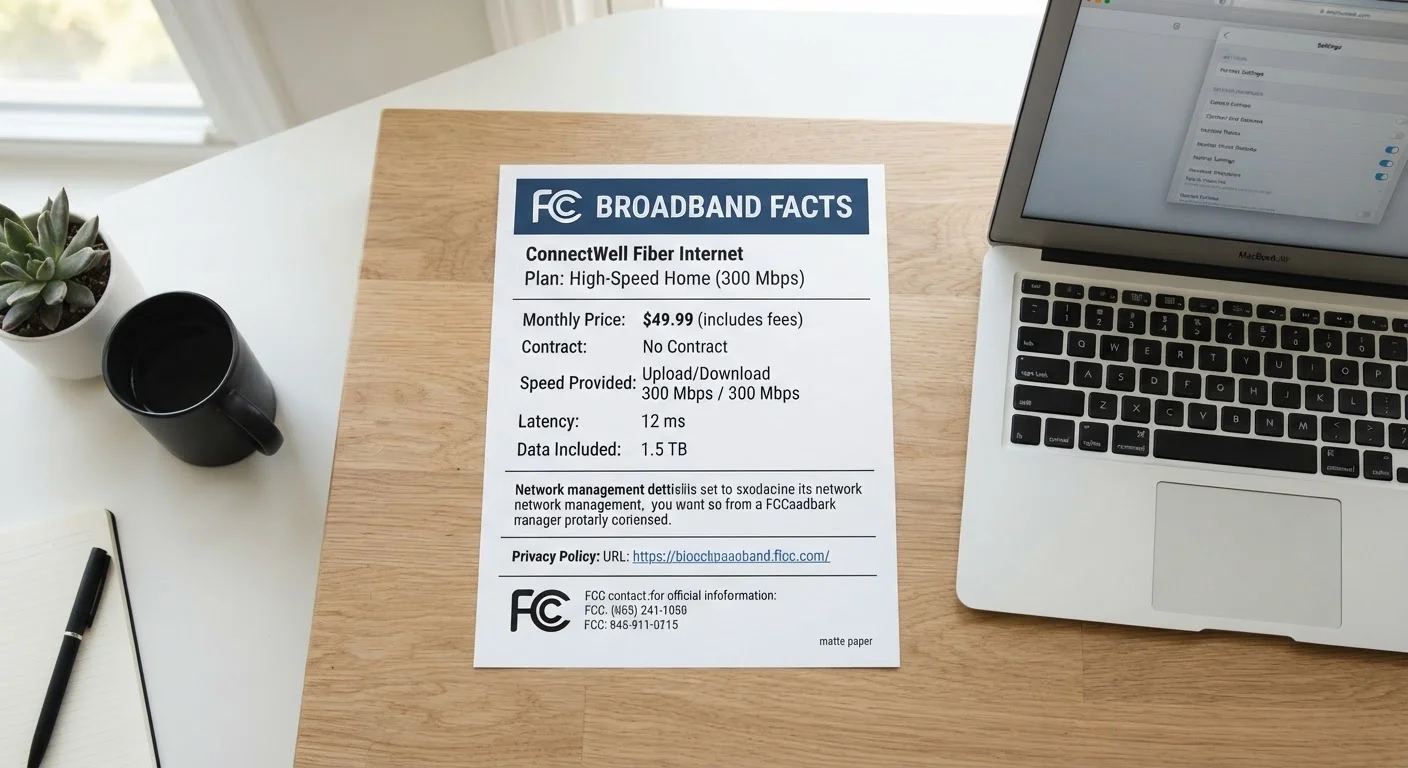
Photo credit: ArticlesHaven.net
In this article
The FCC now requires ISPs to display standardized broadband labels. Here's what information they contain and how to read them usefully.
Key Takeaways
- FCC broadband labels are now required for most ISPs and follow a standardized format.
- Labels disclose monthly price, typical speeds, data allowances, and all additional fees.
- Typical download and upload speeds may differ significantly from the advertised maximum.
- Network management disclosures on the label can signal throttling or deprioritization practices.
- Comparing labels side by side is the most reliable way to cut through ISP marketing language.
What the FCC Broadband Label Is and Why It Exists
The Federal Communications Commission introduced mandatory broadband consumer labels to bring the same transparency to internet service that nutrition labels brought to packaged food. The intent is straightforward: give consumers a consistent, apples-to-apples format so they can compare plans without having to decode each provider's unique marketing language.
Most fixed broadband and mobile internet providers are required to display these labels at the point of sale for every plan they offer. The format is standardized, which means the same fields appear in the same order regardless of which ISP's label you're reading. That consistency is the label's core value.
The label covers six main areas: monthly price (including promotional vs. standard rates), typical speeds, data allowances, one-time and recurring fees, contract terms, and network management practices. Think of it less as a sales document and more as a standardized data sheet - similar in spirit to how the nutrition label on packaged food gives you consistent facts rather than marketing claims.
ISP plan pages or point-of-sale materials
The primary place ISPs are required to display broadband labels for each plan they sell.
FCC Broadband Label sample and explainer (fcc.gov)
The FCC publishes a reference guide showing every field on the label and what it means.
Spreadsheet or note-taking app
Useful for recording and comparing label data from two or more providers side by side.
How to Read and Compare Broadband Labels Step by Step
The steps below walk you through locating, reading, and comparing labels in a way that prioritizes the information most relevant to everyday household decisions. You don't need technical expertise - the label is designed for general consumers.
What you will need
Find the broadband label for each plan you're considering
ISPs are required to display the standardized label at the point of sale - meaning on their website next to each plan listing, in stores, and in any printed materials where a plan is offered. Look for a clearly labeled box that says "Broadband Facts" near the plan description. If you can't find it, try searching the ISP's site for "broadband label" or "broadband facts."
Write down or screenshot the label for every plan you're comparing before moving on.
Read the monthly price section carefully
The label's price field shows the base monthly rate for the plan. Pay close attention to whether that rate is promotional (time-limited) or the standard ongoing price. The label is required to disclose both the introductory rate and what the price becomes after any promotional period ends. It also lists contract length and early termination fees, if any.
Add up the base price plus the mandatory fees listed lower on the label to get a realistic monthly cost estimate before taxes.
Compare typical speeds, not just advertised maximums
The label shows typical download speed and typical upload speed - these are median real-world speeds measured across actual customers, not the theoretical maximum used in advertising. For most households, the typical speed is what actually matters for streaming, video calls, and file transfers.
Also note latency (measured in milliseconds). Lower latency matters for video conferencing and gaming; for general browsing, it is less critical. See our speed tiers breakdown to understand what these numbers mean in practice.
Check the data allowance (and overage terms)
The label clearly states whether the plan has a monthly data cap and, if so, how many gigabytes are included. It also discloses what happens when you exceed that cap - whether your speeds are reduced (a practice called throttling), whether you're charged overage fees, or both.
If the label says "Unlimited," look for an asterisk or footnote disclosing any soft caps or deprioritization thresholds. For a deeper explanation of how caps and speed tiers interact, see our guide to internet plan jargon.
Review the network management and privacy disclosures
Near the bottom of the label, there are links or brief disclosures covering the ISP's network management practices and privacy policy. The network management section tells you whether the provider throttles specific types of traffic (like video streaming) or deprioritizes heavy users during peak congestion. This is separate from data caps and is easy to overlook.
These disclosures are brief summaries - for the full picture, follow the linked policy document. Understanding what a network management policy actually discloses helps you interpret what these summaries really mean.
Place labels side by side and identify your priority trade-offs
With labels from two or more plans in front of you, create a simple comparison across five rows: monthly all-in cost, typical download speed, data cap, contract/ETF terms, and network management practices. This surfaces the real trade-offs: a lower-priced plan may carry a tighter data cap or a longer contract. A higher-speed tier may cost significantly more for performance you won't regularly use.
Before finalizing your choice, run through what to check before signing up for a new internet plan to catch anything the label doesn't cover, such as equipment rental fees or installation charges.
Label vs. Reality: Speed Tests Help
After signing up, run a speed test at different times of day for the first 30 days and compare results to the typical speeds listed on the label. If actual speeds consistently fall well short of what the label showed, you have documented grounds to contact the provider or consider your options within any trial or cancellation window.
Labels Don't Cover Every Fee
The broadband label is required to list recurring monthly fees and one-time charges, but installation fees, equipment deposits, and local government taxes are often excluded from the displayed total. Always ask the provider for a full itemized monthly cost estimate before signing anything.
The Label Is a Regulatory Minimum
A broadband label confirms what an ISP is legally required to disclose - it does not mean every plan is a good fit for your household. Use the label as a starting point for comparison, not as a seal of approval. Two plans can both have compliant labels while delivering very different real-world experiences.
Once you've worked through these steps, you'll have a factual, side-by-side view of the plans you're evaluating - built on the ISPs' own required disclosures rather than their promotional language.

Author
Articles Haven Editorial Contributor
Articles Haven Editorial Team is the collective byline for our editorial team and contributor network. Articles published under this byline or an editorial pen name are researched, written, and reviewed according to our editorial standards for clarity, consistency, and independence before publication.
View all articles →